A language app can have great lessons and still feel painful to use. The usual culprit is cold start speed: how fast the app becomes usable after it hasn’t been running.
This 10-minute, repeatable language app speed test helps you compare apps fairly on iOS and Android. It’s built for learners who want a smooth daily habit, and for edtech teams who need a simple benchmark that survives fast-changing app updates.
Because versions change often, the goal isn’t a “winner forever.” It’s a snapshot you can repeat, log, and compare.
What “cold start” really means (and why it’s tricky in 2026)
A cold start is the first launch after the app is fully closed and not cached in memory. In practice, phones cheat. They keep files warm, prefetch data, and quietly restore apps. On modern devices, “cold” is a spectrum.
Network also matters more than people expect. Wi-Fi 6, 6E, and 7 can be blazing at home, but flaky in crowded places. 5G can beat Wi-Fi, then suddenly throttle. Meanwhile, some language apps now do on-device AI tasks (speech scoring, chat, or personalization). Those features can trigger extra setup on first launch.
To keep results fair, standardize the test conditions as much as possible. Use this quick lab setup before you start timing:
- Record identifiers: app version/build number, OS version, phone model, and test date/time.
- Stabilize power: turn off Low Power Mode/Battery Saver, and keep battery above 30%.
- Control background load: close heavy downloads, VPNs, and large Bluetooth transfers.
- Pick one network: test on either Wi-Fi or cellular for the whole run, not both.
- Keep one account state: either pre-logged-in for all apps, or logged-out for all apps.
Gotcha: “Force quit” is necessary, but not sufficient. If an app preloads lessons in the background, your first run may look slower than your second. That’s why this protocol includes two launches and a simple way to log both.
Finally, don’t expect to find many public, up-to-date launch-time benchmarks as of March 2026. Most app comparisons focus on learning features, not performance. If you want broader, non-speed context for a shortlist, see comparisons like Duolingo vs Memrise (2026) and then run this test on your own device.
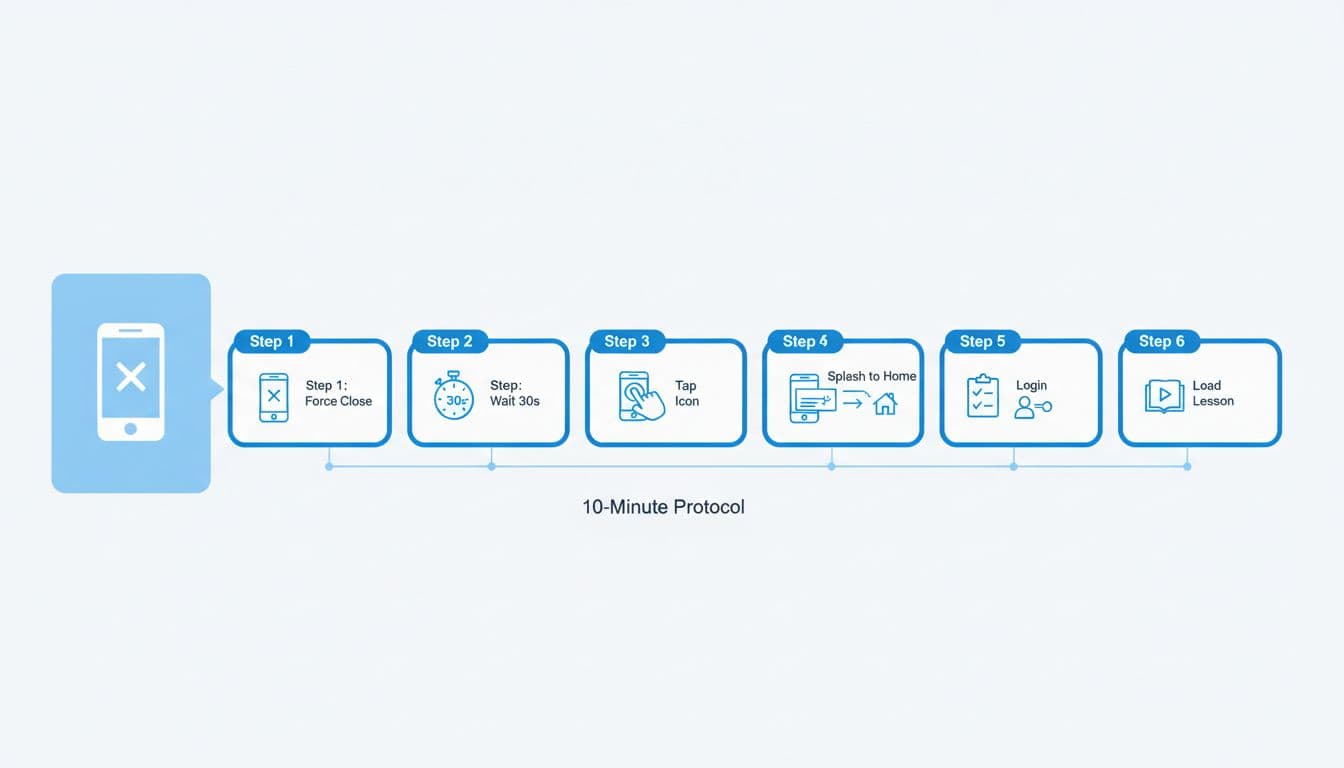
The 10-minute cold start protocol (step-by-step, timed)
This protocol measures three moments that users actually feel: when the app stops being a logo, when the home screen is usable, and when the first real learning activity loads.
What to time (define your stop points)
Use a stopwatch or a screen recording (screen recording is easier to review frame-by-frame).
- Splash Time: tap icon to the first non-splash UI (not necessarily interactive).
- Home Ready: home screen is responsive (tabs/buttons react, no blocking spinner).
- First Lesson Ready: the first exercise is interactive (you can tap/type/speak).
If an app requires login, count it only if it blocks you from reaching the first lesson. Log what happened in notes, because paywalls and “choose a goal” wizards vary by app.
The 10-minute schedule (one app)
- Minute 0 to 1: Reset
- Turn on Do Not Disturb.
- Confirm the chosen network (Wi-Fi or cellular).
- Note app version/build and device details.
- Minute 1 to 3: True cold start, Run A
- Force close the app.
- Wait 30 seconds (lets the OS settle).
- Tap the app icon and start timing.
- Stop timers at Splash, Home Ready, and First Lesson Ready.
- Minute 3 to 5: Quick repeat, Run B
- Force close again.
- Wait 10 seconds.
- Repeat the same path to the first lesson.
- Minute 5 to 7: “Real user” check (optional but useful)
- Start a second lesson or open a review screen.
- Note any long pauses, audio delays, or “loading your plan” steps.
- Minute 7 to 10: Log and screenshot
- Write down times, plus any blockers (login loop, paywall, content download prompt).
For a fuller evaluation beyond speed, pair this with the 10-Minute Grammar Audit for Language Apps. Fast apps aren’t always strong teachers.
Scorecard template (copy, paste, and compare apps fairly)
This scorecard keeps the test honest across different app types (gamified courses, flashcards, tutor marketplaces, and AI chat apps). It also makes results easy to share with a team.
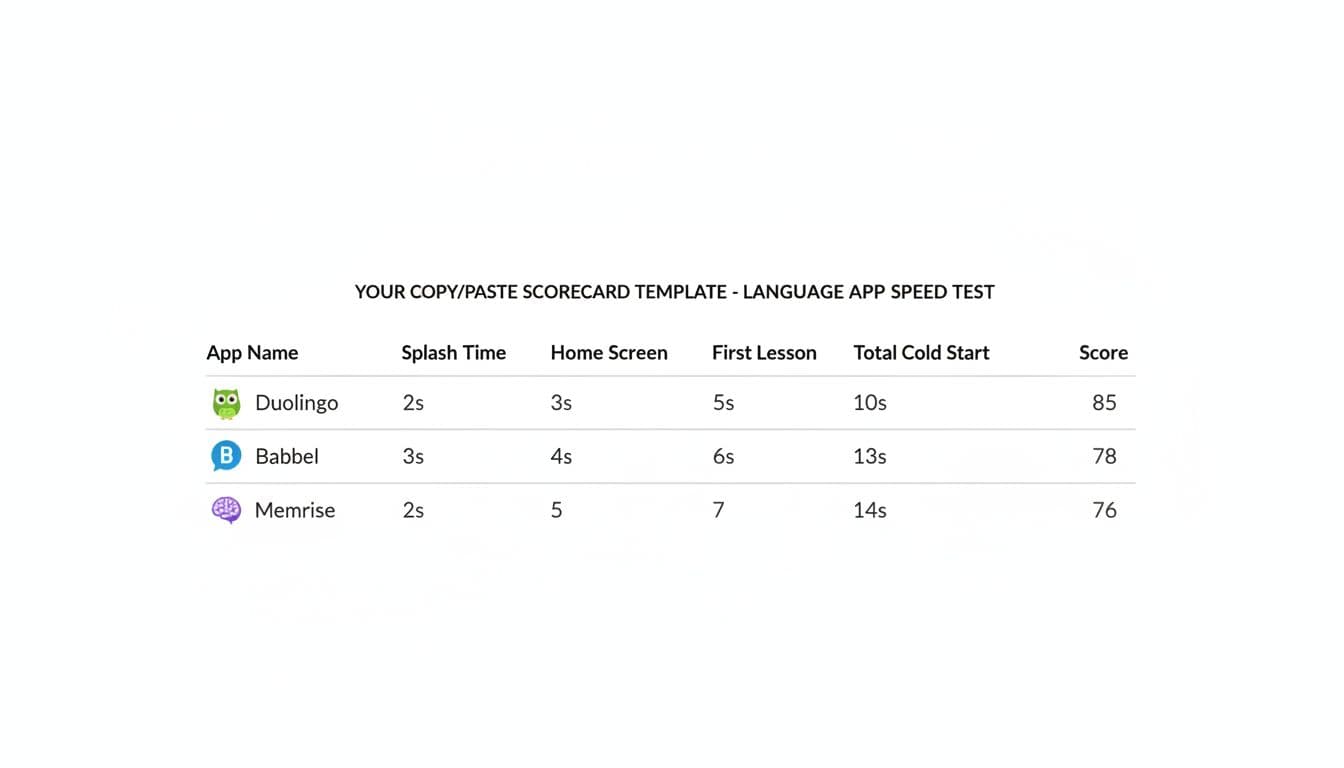
Copy/paste this table into Notes, Google Docs, or a spreadsheet:
| App | Platform | App version/build | Network | Run A: Splash (s) | Run A: Home Ready (s) | Run A: First Lesson (s) | Run B: First Lesson (s) | Median First Lesson (s) | Notes |
|---|---|---|---|---|---|---|---|---|---|
| iOS / Android | Wi-Fi / 5G |
A simple scoring rule (so “fast” has a number)
Use Median First Lesson as the main metric. Then classify:
- 0 to 6 seconds: excellent, feels instant
- 6 to 12 seconds: good, still smooth
- 12 to 20 seconds: tolerable, you’ll notice it
- 20+ seconds: slow, habit friction starts
If you need a single score, try this 0 to 10 scale:
- Start at 10 points
- Subtract 1 point for every 2 seconds above 6 seconds (median)
- Minimum 0 points
So, a 14-second median would score 6 points.
Fairness notes (so the test doesn’t lie)
Some apps download large audio packs, preload AI voices, or fetch a lesson plan. Those are real user costs, so don’t “fix” them, just log them.
Also keep comparisons like-for-like:
- Compare “first lesson” to “first lesson,” not “first chat reply.”
- If an app funnels you into onboarding, time it and note it. Onboarding is part of cold start for new users.
- For tutor or exchange apps, define a consistent target, like “open inbox and load latest thread.”
If you want to see how other users talk about performance testing culture around language apps (even when data is messy), the community thread on language app benchmarks is a useful reference point. For broader 2026 roundups that can help you decide what to include in your test set, scan lists like language learning software tested in 2026, then verify speed yourself.
For a deeper look at one mainstream app outside pure performance, the In-Depth Babbel Review: Pros and Cons pairs well with this benchmark.
Conclusion
Cold starts are like a sticky door. You can still enter, but you hesitate every time. Run this 10-minute protocol across your shortlist, log version/build numbers, and compare medians, not one-off runs. The result is a language app speed test you can repeat whenever apps update, your phone changes, or your network shifts. Which app stays fast when you launch it half-awake on a busy morning?

