Most language apps don’t fail privacy because they collect data. They fail because they keep it too long, in too many places, with no clear end date.
If you’re a PM, founder, or privacy lead, you can sanity-check a data retention policy in 15 minutes. The goal isn’t legal perfection. It’s to spot “kept forever” habits, align retention to real needs, and make deletion workable in production.
This quick check focuses on what regulators, app stores, and users care about in 2026: purpose, necessity, time limits, and proof you can actually delete.
What a defensible data retention policy looks like in 2026
A solid data retention policy reads like a set of simple promises you can keep. It links each data type to a purpose, then sets a retention period that matches that purpose. It also explains what happens after the clock runs out.
Under GDPR and UK GDPR, storage limitation means you shouldn’t keep personal data longer than necessary. The UK ICO’s overview of storage limitation expectations is a practical reference, even if you operate globally. In other words, “we might need it later” doesn’t count as a plan.
Retention also shows up in app trust. Users notice when “Delete account” only disables login but leaves history and recordings behind. If you want a fast way to see what your app actually collects at runtime, pair this policy review with an app privacy audit for language apps.
Finally, retention should match your product surfaces. If you advertise controls in settings, you should be able to support them. This is why it helps to review your permissions and toggles alongside your written policy, using this guide to checking language app privacy settings.
A retention policy that can’t be implemented is just a document. Your real policy is whatever your databases, logs, and backups do today.
The 15-minute retention policy check (in the right order)

Set a timer and open your current privacy policy, internal data map (if you have one), and a list of your data stores (prod DB, analytics, support, logs, backups).
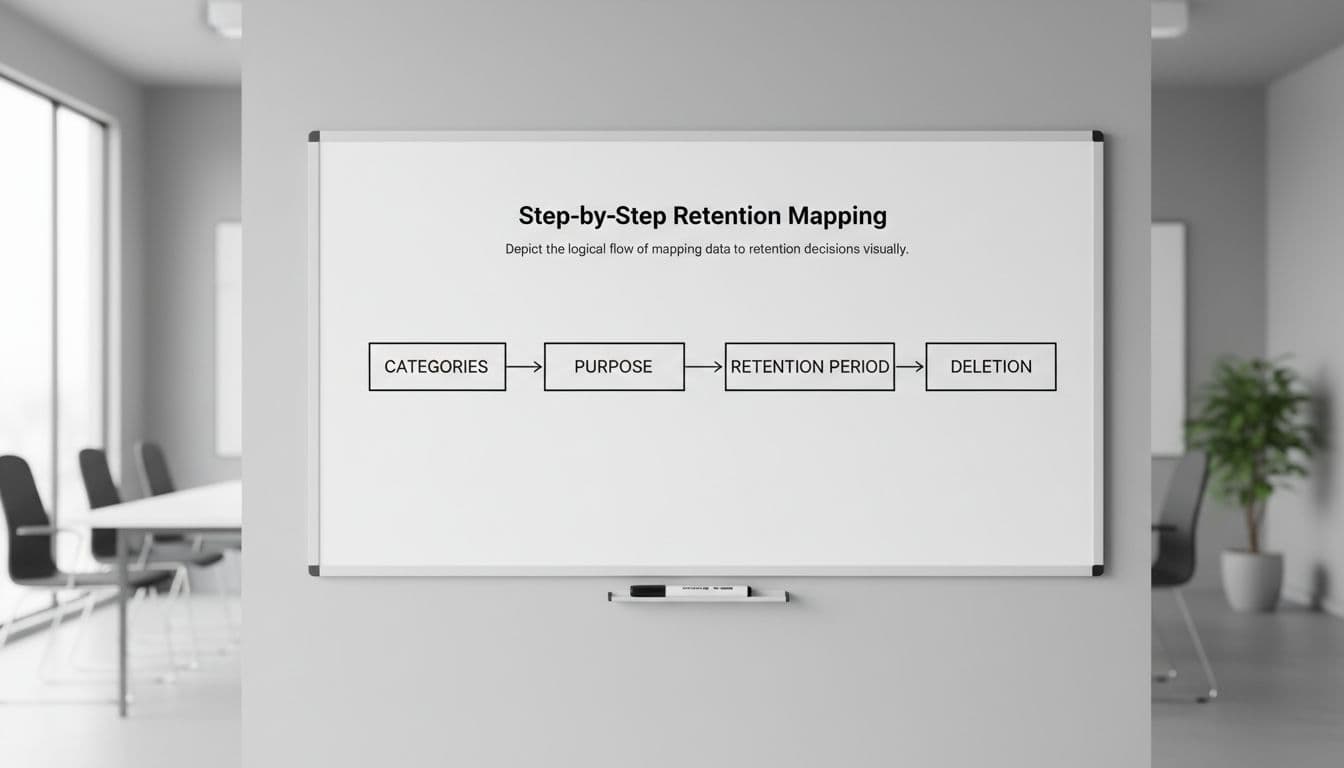
Minute 0 to 3: List your data categories (don’t overthink it)
Write the categories, not every field. For language apps, you usually have: account data, learning progress, payments, support messages, device data, analytics events, ad identifiers, voice data, and user-generated content (notes, essays, chats).
If you can’t list them quickly, that’s your first finding: you need a basic inventory.
Minute 3 to 6: Map each category to purpose and necessity
For every category, state the purpose in one sentence. Then ask: is it required for the service, or is it optional?
Add a rough “lawful basis” label for EU and UK work (contract, consent, legitimate interests, legal obligation). Keep it high-level and consistent. The point is to avoid hidden purpose creep, like using “improve learning” to justify indefinite ad tracking.
Minute 6 to 9: Put a retention period next to each purpose
A good retention period has a trigger and a duration. Examples:
- “Until account deletion + 30 days”
- “Last activity + 24 months”
- “Transaction date + 7 years” (if your finance team truly needs it)
If you see “we retain as long as necessary” with no numbers, you’ve found a gap.
The ICO’s retention control measures are useful here because they push you toward defined periods and documented review.
Minute 9 to 12: Define deletion or anonymization, including backups and logs
For each category, choose the end state:
- Hard delete (remove rows, files, indexes)
- Anonymize (irreversible, no key kept)
- Aggregate (keep only totals that don’t single out a user)
Now the common trap: your main DB deletes, but your logs and backups quietly keep everything.
Write one sentence that answers: “When a user deletes their account, what happens to their data in backups and logs?” A practical answer might be: “Backups expire after X days and are not restored for individual requests; if restored for disaster recovery, deletion jobs re-run.”
Minute 12 to 15: Document exceptions (and keep them narrow)
Most apps need exceptions, but they should be explicit:
- Fraud and abuse (chargebacks, account takeover)
- Legal holds (litigation, regulator inquiry)
- Security incident investigation
- Accounting and tax records
Keep exceptions tied to specific data types, with separate retention periods. Otherwise, “fraud” becomes a loophole that keeps everything forever.
Ready-to-copy retention schedule template for language apps
Use this as a starting schedule you can paste into an internal doc and adjust. Keep one owner per row.
| Data category | Typical purpose | Retention trigger | Example retention period | End state | Key exceptions |
|---|---|---|---|---|---|
| Account profile (email, username) | Login, support, sync | Account deletion | Delete within 30 days | Hard delete | Legal hold |
| Learning progress (lesson history, SRS state) | Core service | Last activity | 24 months, then review | Delete or anonymize | User request to keep account |
| User-generated text (notes, writing submissions) | Learning features | Account deletion | 30 days | Hard delete | Abuse investigations |
| Tutor or bot chat transcripts | Support learning, safety | Last message | 12 months | Anonymize or delete | Moderation, legal hold |
| Payments metadata (plan, receipts, invoices) | Billing, accounting | Transaction date | 7 years (jurisdiction dependent) | Delete identifiers where possible | Tax, chargebacks |
| Support tickets and emails | Customer support | Ticket closed | 24 months | Anonymize requester | Legal hold |
| Security logs (auth events, IP, device) | Detect abuse, incidents | Event time | 90 to 180 days | Delete | Active investigation |
| Crash reports | Stability | Report date | 180 days | Delete | Ongoing bug fix |
| Analytics events (product metrics) | Improve UX | Event time | 13 months | Aggregate | Consent withdrawal (if consent-based) |
| Ad identifiers (IDFA/AAID), attribution | Measure campaigns | Collection time | 90 days | Delete | Fraud prevention (limited) |
| Voice recordings (raw audio) | Speaking exercises | Session end | 0 to 30 days (prefer shortest) | Delete | Safety, explicit consent |
| Voice-derived features (scores, embeddings) | Pronunciation feedback | Session end | 12 months max, then reassess | Anonymize or delete | Research with clear consent |
Takeaway: your schedule should make deletion feel routine, like taking out the trash, not like a special project.
Retention also touches exports. If users can download their learning history, your deletion and retention logic must still stay consistent. This pairs well with a data portability check for language apps.
Engineering questionnaire plus the two riskiest scenarios (kids and voice)
Send this short questionnaire to engineering and data owners. Ask for direct answers, not “it depends.”
- Where is this data stored (DB tables, object storage, analytics, support tools)?
- What is the deletion mechanism (job, cascade, TTL, manual script)?
- What is the deletion SLA after account deletion or request?
- Do we delete from search indexes and caches (CDN, Redis, full-text search)?
- Which logs include personal data (API logs, auth logs, crash logs), and what’s the log retention?
- How do backups work (frequency, retention, restore process), and how do we prevent deleted data from reappearing?
- Do third parties receive the data (SDKs, processors), and how do we enforce their retention?
- Can we prove deletion (audit log, internal ticket, automated report)?
- Do we have per-region rules (EU, UK, California) applied in code or only on paper?
Kids and teens: age-gating changes the retention conversation
If your app is directed to children under 13, or you have actual knowledge you collect data from them, COPPA expectations can force a tighter, written retention approach. In early 2026, the amended COPPA rule has pushed many teams to revisit retention language and timelines. Fenwick’s summary of COPPA retention practice impacts is a helpful briefing for product and privacy teams.
Practical defaults for younger users include shorter retention, fewer identifiers, and clear parental deletion paths. Also check that “kid mode” disables ad identifiers and limits public profiles.
Voice data and biometrics: treat it as high sensitivity by default
Speaking practice can collect raw audio, transcripts, and voice-derived signals. Even if you don’t call it “biometric,” regulators and users may see it as highly personal.
Prefer on-device processing where possible. If you must store audio, keep it short-lived, separate it from identity, and document the deletion path. Most importantly, don’t let voice files leak into analytics or long-term logs.
Conclusion
A good data retention policy is less about words, and more about habits your systems can repeat. In 15 minutes, you can map your data to purpose, set time limits, define deletion, and close the backup and log loopholes. After that, pick one high-risk category (voice, kids, ad IDs, or chat logs) and tighten it this week. What would your app keep if a user left today, and should it?
Ready to Take Your Language Learning Further?
Your favorite language-learning app is a great place to start. Rocket Languages can help you go further with interactive audio lessons, pronunciation practice, real-world conversations, and structured learning.
Explore Rocket Languages →Affiliate disclosure: We may earn a commission if you purchase through this link, at no additional cost to you.
