
How to choose the right language learning app options for your child comes down to a few practical checks: how they learn best, whether the lessons are age-appropriate, what safety controls are in place, and how well the app supports steady progress without turning into a distraction.
Kids are as different as snowflakes when it comes to how they soak up knowledge. Some are all about seeing things. You know, the ones who can remember a dog breed after seeing just one picture. Others, well, they rely heavily on sounds. You might’ve noticed them zoning in on cartoon tunes or picking up on languages just by listening to some overseas radio.
## How to choose the right language learning app: a quick parent checklist
Before downloading anything, use this quick checklist to narrow your options without overthinking it:
– **Fit:** Does the app match your child’s learning style (visual, auditory, hands-on)?
– **Level:** Are lessons clearly labeled by age/grade and beginner-to-advanced progression?
– **Safety:** Can you review what data is collected and turn off unnecessary permissions?
– **Engagement:** Are there short lessons, rewards, and replayable activities (without distractions)?
– **Proof:** Can you find independent ratings and parent feedback (not just ads)?
– **Routine:** Can your family keep a simple schedule that doesn’t cut into sleep or homework?
Helpful references:
– Common Sense Media’s list of kid-friendly language apps: https://www.commonsensemedia.org/lists/apps-that-help-kids-learn-a-new-language
– AAP guidance on family screen-time strategies: https://www.aap.org/en/patient-care/media-and-children/center-of-excellence-on-social-media-and-youth-mental-health/qa-portal/qa-portal-library/qa-portal-library-questions/screen-time-guidelines/
Spotting these unique styles is more than just a neat parental trick. It’s about aligning your app choice with their learning comfort zones. It’s like picking a comfy pair of shoes—right fit equals smooth journey.
Take a moment to dig deep into what makes your kid tick. Are they doodling on every scrap of paper or do they come to life when narrating a story? These little habits are like dropping breadcrumbs leading you to the perfect learning app.
Don’t skip out on a chat with the folks who spend significant time with your child—teachers, caregivers, and maybe even the eccentric aunt who swears by educational board games. They often drop some pretty compelling hints about which learning styles mesh well with your child’s personality.
Evaluating Educational Content
When parents ask how to choose the right language learning app content that truly helps kids improve, the quickest filter is whether the lessons are interactive, structured, and clearly matched to your child’s age and level.
Finding the right educational content in a language app can feel like hunting for buried treasure in a sea of sameness. Not all that glitters is gold, though, so knowing exactly what counts as educationally valuable is gold-star knowledge. What you want is content that doesn’t just pile facts but also aids understanding and engagement.
Interactive learning often beats passive learning like a sprinter outruns a tortoise—even if the tortoise is really going for it. An app where your child can click, drag, and maybe even play games that involve language not only holds their attention but also reinforces their learning. Kids are way more likely to remember how to greet in French if they won the word off in a short race, right?
Age matters. Just like you wouldn’t hand a toddler a teenage reading book, you don’t want to opt for a language app where the phrases and tasks are too advanced or, conversely, too basic. Age-appropriate content helps in keeping things on par with what they’re learning in school and their growing vocabulary.
Pace matters, too. Kids aren’t robots, thankfully. They learn at different speeds and that’s as okay as pie. The best apps understand this and allow customization, letting children move through different levels as swiftly or as cautiously as they need. This ensures they’re challenged yet not overwhelmed, giving them just the right nudge to keep going at their pace.
Prioritizing Safety and Privacy
When it comes to letting our kids explore language apps, safety and privacy should be top of mind. Think of it as setting up a protective bubble around their digital world. You wouldn’t let them cross the street without looking both ways, right? Same goes for apps—gotta be cautious.
Understanding what data an app’s collecting can sometimes feel like decoding hieroglyphics, but it’s crucial. Apps often ask for permissions like accessing microphones or GPS locations, but pause and ask, “Is this really needed for language learning?” If not, it might be time to wave a red flag.
If you’re deciding **how to choose the right language learning app** options responsibly, treat privacy like a non-negotiable feature. For kids under 13, it helps to be familiar with COPPA (Children’s Online Privacy Protection Act) and what it means for apps that collect personal data: https://www.ftc.gov/legal-library/browse/rules/childrens-online-privacy-protection-rule-coppa.
Also use the built-in store disclosures before you install: check **App Privacy Details** on iPhone/iPad apps: https://developer.apple.com/app-store/app-privacy-details/ and the **Data safety** section on Google Play listings: https://support.google.com/googleplay/answer/11416267.
The parental controls and safety locks are like seatbelts in a car. They provide that safety net in unpredictable digital traffic. A good app should offer tools to monitor usage, set time limits, and control chat features if any. Because let’s be real, we all want to avoid any nasty surprises.
Ads can be pretty sneaky, popping up right in the middle of a learning streak. Subscription models often cut these ads out and can enhance the uninterrupted learning experience, though they usually come at a cost. Balancing financial commitment against a smooth experience is key.
Look out for certifications and child-safe labels. Trusted stamps of approval from educational or children’s rights organizations can offer peace of mind and ensure the app’s safety protocols are up to par. They’re like little badges of honor that accentuate the app’s dedication to safeguarding your kid’s learning adventure.
Exploring Language Diversity and Choices
Not all language apps are built the same, and the range of languages they cover can vary wildly. Checking out what each app offers can save some serious time rather than downloading a dozen apps only to find they don’t teach the language you’re after.
Cultural context plays a big role in learning a new language. Kids pick up not just words but a bit of the culture too, and it happens naturally. An app that sprinkles culture snippets alongside the language lessons can make learning more immersive and fun! Think of it as a little world tour without leaving your home.
When weighing **how to choose the right language learning app** options for long-term success, favor apps that respect multilingual learning and real-life language use (not only isolated vocab drills). UNESCO highlights why learning in and across languages matters for inclusion and outcomes, which is a useful lens when you’re selecting content for kids: https://www.unesco.org/en/languages-education.
Bilingual and multilingual homes can be exciting, and supporting both or multiple languages might just be what your family needs. Some apps knock it out of the park by offering not just one language but a suite of them, allowing you to switch and match as needed.
If your child’s learning aligns with specific curricula, check if the app syncs up with classroom learning goals. That way, your kid’s afterschool app session supports their school-day learning hustle. It’s like giving them a slight academic edge, all from their favorite tablet or smartphone.
Analyzing App Features and Tools
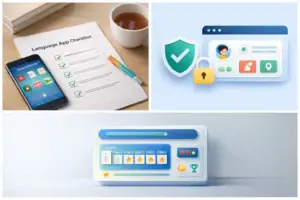
When it comes to the toolkit that language apps offer, certain features can make or break the experience. Gamification, for instance, turns learning into a game. It keeps things fun and engaging, like earning badges or unlocking new levels as skills improve. It’s a clever way to keep kids motivated because let’s face it, who doesn’t love earning a cute digital sticker after a job well done?
Metrics and feedback offer a peek into how well your child is doing, much like a quick dashboard that tells if they need more practice or if they’re nailing it. These features should be clear and easy to understand for both you and your child. Knowing the score in terms of progress is key to targeting specific areas that need a bit more attention, while also celebrating small victories.
Interactive tools like flashcards, pronunciation aids, and games are not just bells and whistles. They genuinely enrich the learning process and help reinforce what’s being taught. Exploring these options can aid in pronunciation and vocabulary retention by allowing kids to engage visually and audibly. They’ll surprise you with how quickly they catch on.
Keep an eye out for offline features, which can be super handy. Trips, commutes, or anywhere the Wi-Fi isn’t exactly eager to cooperate, offline capabilities mean learning doesn’t have to stop. It’s like having a little language classroom tucked into your pocket, ready for whenever the mood strikes.
Investigating Reviews and Recommendations
Getting the lowdown from other parents and educators who’ve been there and done that is a solid start. Their insights are like getting tips from trailblazers who’ve navigated the jungle before you, cutting through marketing fluff to expose the truth about what works and what doesn’t.
A practical way to confirm **how to choose the right language learning app** picks that aren’t hype-driven is to cross-check independent reviewers and age ratings. Common Sense Media publishes parent- and expert-facing app reviews you can skim in minutes: https://www.commonsensemedia.org/app-reviews. Then compare that feedback with the app store’s most recent reviews to spot patterns (subscription pressure, ad frequency, bugs, or weak content).
Expert endorsements, ratings, and awards can feel like a seal of approval; it’s reassurance that the app knows its stuff. High ratings can indicate a well-received product by its young users and their parents—comparing these can guide you towards something worthwhile.
Market reputation is worth digging into. Apps that are constantly updating, fixing bugs, and listening to user feedback usually stand out on various app stores. Those that lag in these areas often reflect poorly on user-friendliness and overall effectiveness.
Keep an eye out for recurring complaints in reviews. If ten parents mention a glitch or some annoying feature, take notice. Some concerns, like limited content or safety features, might be deal-breakers depending on what’s important for you and your kid’s learning journey.
Balancing Cost with Quality
It’s easy to get caught up in shiny features, but when it comes to language apps, balancing the financial side of things is crucial. Free apps can be tempting, offering a no-strings-attached approach. However, paid apps often provide richer, ad-free experiences that can be more productive for learning.
One of the easiest ways to simplify **how to choose the right language learning app** pricing is to decide what you’re paying to remove: ads, distractions, locked lessons, or weak progress tracking. If the free tier constantly interrupts sessions, a low-cost subscription may be worth it purely for focus—especially for younger learners.
Trial periods and free versions can be game-changers if you’re testing the waters. They offer a sneak peek into what the full versions hold without any commitment. It’s like test-driving a car before deciding to buy.
Setting a budget for educational tools helps in making conscious choices without breaking the bank. Remember, it’s not just about initial fees but also potential future investments in upgrades or additional features.
Spotting low-quality apps often involves looking out for red flags—outdated content, erratic lags, or unresponsive customer support. Reading feedback can save you from shelling out cash on something that’s not worth it. Educating yourself on what good quality looks like will ensure you’re making a smart investment for your child’s learning journey.
Monitoring Progress and Making Adjustments
Keeping an eye on your child’s progress using a language app can be quite enlightening. Regular check-ins on their achievements and challenges are essential. Think of it like following a training routine where tracking progress is vital to keep motivation high and goals clear.
Recognizing when an app isn’t the right fit is just as important. Whether it’s the content, engagement level, or simply a user interface issue, being able to switch directions without stress can keep your child’s enthusiasm for learning intact.
Supporting your child in their app-based learning journey might involve a bit of hands-on help now and then. Engaging in the app together, discussing what they’ve learned, and challenging them with games or questions can enhance the experience.
Gently introducing new language tools or switching apps requires knowing the right time to transition. Gradual introductions, rather than sudden changes, keep things fresh and captivating while preventing overwhelm. It’s all about keeping the learning experience dynamic and adaptable to their growing skills.
If you’re still refining **how to choose the right language learning app** tools for your household, make it a two-week experiment: pick two apps, set a simple schedule, and track motivation + progress without pressure. If you want a structured way to set boundaries (screen-free times, bedtime rules, and quality checks), the AAP’s family media guidance is a strong reference point: https://www.healthychildren.org/English/family-life/Media/Pages/Where-We-Stand-TV-Viewing-Time.aspx

