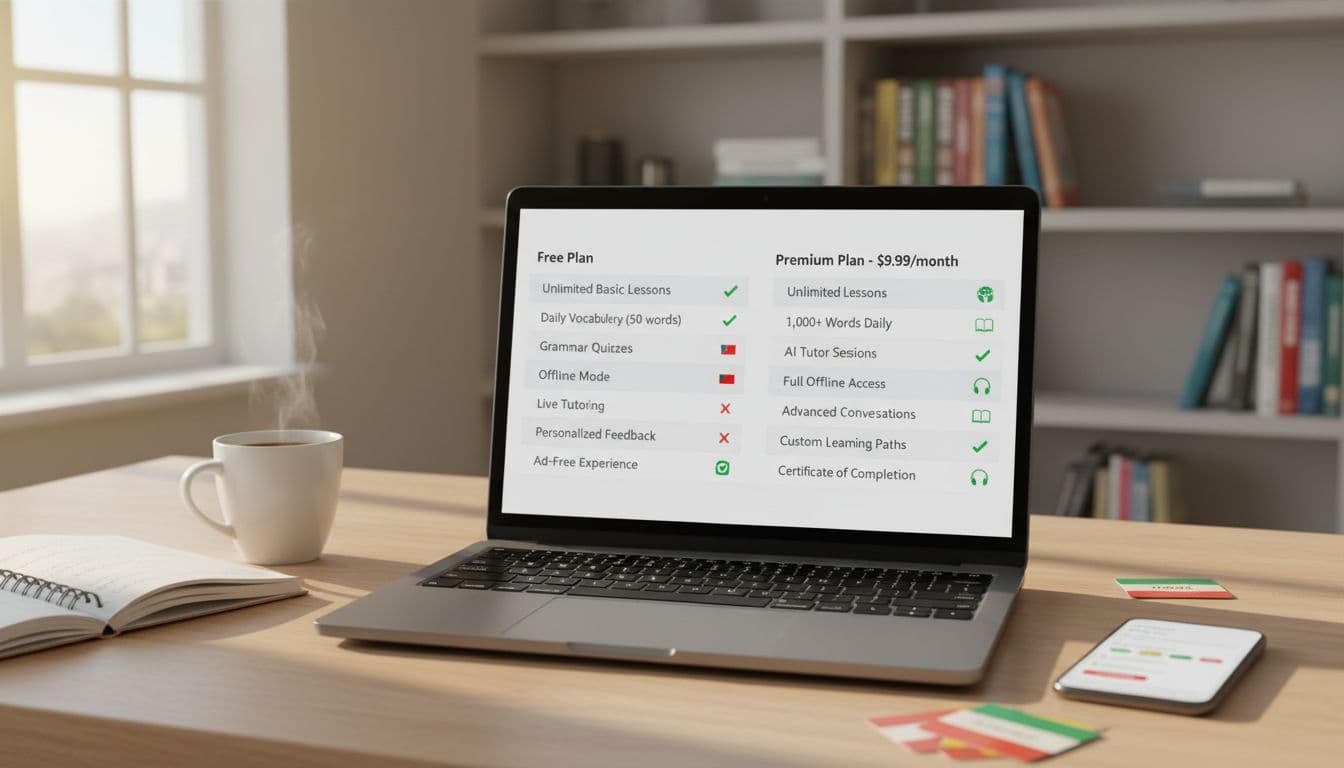
A language app’s free plan can feel like a free snack sample at a grocery store. It tastes good, but you’re not sure if it’ll feed you for weeks.
When you’re weighing language app free vs paid options, the hard part isn’t the price. It’s the fine print: lesson access, offline limits, review tools, and the quiet restrictions hidden behind “fair use” or “limited practice.”
This guide gives you a practical, app-agnostic checklist you can use in December 2025, plus copy-paste templates to compare plans fast and avoid the most common subscription traps.
Step 1: Decide what “worth paying for” means for you
Before comparing features, set two boundaries. If you skip this, every paid plan looks tempting.
Your goal: travel basics, daily conversation, school grades, exam prep, or keeping a child engaged.
Your weekly rhythm: 10 minutes here and there, or 30 to 60 minutes most days.
A free plan is often enough for light practice. A paid plan makes more sense when you need consistency, offline access, deeper feedback, or structured progression. If you want a quick example of how free and paid differences show up in real apps, see Rosetta Stone vs Duolingo: paid vs free app showdown.
The feature-by-feature checklist (compare what changes, not what’s advertised)
Marketing pages highlight “what you get.” Your job is to find what you lose on free, and what you still don’t get on paid.
Core learning: lessons, paths, and true access
Look for:
- Locked units or skills: Is the free plan a full course with ads, or a limited slice?
- Skill progression: Does it guide you, or drop you into random practice?
- Level coverage: Beginner only, or up to intermediate and advanced?
If an app offers “free learning,” confirm whether it’s full access with ads, or limited access with paywalls. (This varies widely, even in 2025.)
Practice tools: review, drills, and retention support
Paid plans often add the things that prevent “I learned it yesterday, forgot it today.”
Check:
- Spaced repetition and review modes
- Vocabulary lists and word practice
- Pronunciation practice and speech scoring
- Listening-only practice for commuting
If “review” exists on free, confirm whether it’s capped per day or blocked after a streak break.
Feedback and help: what happens when you get stuck
In 2025, many apps bundle “AI tutor” features, but they can be limited.
Compare:
- Grammar explanations: short hints vs full lessons
- Writing correction: none, basic, or detailed feedback
- Conversation practice: scripted vs open-ended chat
- Human tutoring: included, discounted, or separate
When a paid plan includes chat features, check if it’s unlimited or measured in minutes, messages, or “daily requests.”
Access and convenience: offline, devices, and downloads
For travelers, this is often the real reason to upgrade.
Verify:
- Offline mode: full lessons, or only saved items?
- Download caps: number of lessons, days, or devices
- Device limits: phone + tablet + web, or one at a time
- Sync reliability: does progress sync across platforms?
Offline access is also where “fair use” wording shows up. It can mean hidden caps.
Ads, limits, and “pay-to-keep-going” friction
Free plans often charge you in time and interruptions.
Check:
- Ads: frequency, length, and whether they interrupt listening
- Hearts/lives/attempt limits: do you get blocked after mistakes?
- Daily caps: lessons, tests, or practice sessions per day
- Priority access: busy-hour slowdowns, queueing, or feature gating
A good comparison asks: “How often will the free plan stop me mid-session?”
Kids and families: profiles, safety, and seat rules
If you’re buying for kids, the plan details matter more than the price.
Compare:
- Child profiles and content controls
- Multiple learner profiles per account
- Family plan seats: who counts as a seat, and how sharing works
- School features: classroom dashboards, assignments, reporting
Family plans commonly restrict seats to the same platform account, or require each learner to have their own login tied to an age threshold.
Copy-paste template: free vs paid comparison table
Use this as a scratchpad while you review the app’s pricing page and settings screens.
| Feature | Free plan (what you actually get) | Paid plan (what changes) | How to verify fast |
|---|---|---|---|
| Course access | Pricing page, locked lessons in-app | ||
| Ads & interruptions | Start 2 to 3 lessons, note ad pattern | ||
| Mistake limits (hearts/lives) | Intentionally miss answers, see lockouts | ||
| Offline access | Look for download icon, check caps | ||
| Review tools (SRS, drills) | Compare “Practice” tab on free vs trial | ||
| Speaking/pronunciation | Try a speaking lesson, check scoring access | ||
| AI chat/tutor limits | Check usage meter, plan details, help center | ||
| Family/kids support | Family plan terms, profile settings |
For broader context on how free and paid language learning models tend to differ across platforms, compare summaries like Free vs. Paid Language-Learning Apps: Evaluating the Value and Benefits and Top Free vs. Paid Foreign Language Learning Platforms Compared.
Common plan traps to watch for in 2025
Paid plans aren’t “bad.” Confusing plans are. These are the traps that most often change the real cost.
Intro pricing: Month 1 looks cheap, month 2 doubles. Take a screenshot of the full price, not just the promo.
Annual billing disguised as monthly: “$7.99/month” sometimes means “billed $95.88 today.”
Auto-renew by default: Trials often convert unless you cancel 24 to 48 hours before renewal (the exact timing depends on the store and app).
“Fair use” limits: This phrase can hide caps on AI chat, audio downloads, review sessions, or even speaking checks.
Offline download caps: Some plans allow offline mode, but limit how many lessons you can store.
Family plan seat rules: Seats may not equal devices, and “family” may require each person to be in the same store family group.
Add-ons inside paid plans: A subscription might remove ads, but keep live tutoring, certificates, or advanced courses as extra purchases.
If you want a concrete example of how one popular app frames free vs paid perks, you can compare breakdowns like Duolingo Paid Vs Free: Which Version Is Right for You?, then apply the same questions to any app you’re shopping.
How to verify plan claims (fast, without guesswork)
Don’t rely on a single source. Cross-check in three places.
1) The official pricing page: Look for billing period, renewal terms, and what’s excluded.
2) The app store listing: In Apple App Store or Google Play, check in-app purchase items and subscription tiers. These often show price points that the marketing page glosses over.
3) The help center and refund policy: Search the app’s help pages for “trial,” “cancel,” “offline,” “family,” and “fair use.” Refund and cancellation rules can differ by platform.
If something matters (offline downloads, kid profiles, AI minutes), confirm it inside the app’s settings screen too. That’s where caps usually show up.
Copy-paste template: questions to ask and verify
- What is the renewal price after any intro offer ends?
- Is the subscription monthly, yearly, or yearly shown as monthly?
- What happens if I cancel mid-cycle, do I keep access until the end?
- Does “offline access” include full lessons or only some content?
- Are there download limits (lessons, days, devices)?
- Are there daily limits on lessons, review, or AI chat?
- Are mistake limits removed, or just increased?
- Is speaking practice included, and is speech scoring paywalled?
- How many profiles or seats does a family plan include, and who qualifies?
- Is there a refund path, and does it depend on Apple, Google, or direct billing?
Mini calculators to judge value in under a minute
Price only matters next to usage. Try these simple checks.
Copy-paste calculator ideas
Cost per session: monthly price ÷ sessions you’ll realistically do
Example: $12 ÷ 12 sessions = $1 per session
Cost per hour: monthly price ÷ hours you’ll use
Example: $12 ÷ 6 hours = $2 per hour
Trial value test: (features you need unlocked during trial) ÷ (features you need total)
If you can’t test the key features, the trial is weak.
Annual break-even: annual price ÷ 12 vs true monthly price
If annual saves less than 10 to 15 percent, flexibility may win.
Upgrade or stay free: clear scenarios by learner type
Casual learner (5 to 15 minutes a day): Stay free if ads don’t annoy you and you’re not blocked by daily limits. Upgrade if mistake limits stop you mid-lesson or review tools are locked.
Exam prep or school grades: Paid is often worth it for structured paths, deeper explanations, and targeted review. If the paid plan doesn’t add testing, writing feedback, or clear level coverage, skip it and spend on a focused exam resource.
Frequent traveler: Upgrade if offline lessons and downloads are truly usable. If offline is capped to a tiny batch, a paid plan may still disappoint.
Parents buying for kids: Pay for better controls, profiles, and reduced friction (ads and interruptions). Avoid plans with strict seat rules if you have multiple kids, unless the family terms are crystal clear.
Conclusion
Comparing language app free vs paid plans gets easier when you stop chasing promises and start checking limits. Use the table, verify claims in the store listing and help center, then run the cost-per-session math. If the paid plan removes the obstacles that break your routine, it’s a smart upgrade. If it mainly removes ads and adds a shiny badge, your free plan is already doing the job.

