If a language app has social features, comments, or chat, you need block report tools that work fast. Not just for worst-case situations, but for the everyday stuff: spam “tutors,” creepy messages, pressure to move to another app, or strangers asking for personal photos.
This quick check is built for parents, teachers, and reviewers who want a clear yes or no. Set a 10-minute timer, follow the steps, and you’ll know whether an app treats safety and privacy like a basic feature, not an afterthought.
Why block and report tools matter (especially for kids and classrooms)
A good language app should feel like a study space. When harassment or scams slip in, that space turns into a hallway with no supervision. Block and report tools are the “door lock and front desk” of any social product.
For minors, the stakes rise. A teen might not recognize grooming patterns, romance scams, or “send me your number” pressure. Even adults can get tricked when someone poses as a friendly exchange partner.
School and district reviewers should also think about duty of care. If an app supports public profiles, leaderboards, or messaging, safety controls should be easy to find and simple to use on both iOS and Android. That includes a clear way to block a user, report a message, and reduce future contact.
Where do these controls usually show up? Without naming exact placements for every app (because layouts change), they commonly appear in these spots:
- Chat screens: a menu (often three dots) with Block, Report, or Safety.
- User profiles: options to block, report, or restrict contact.
- Comment threads: “Report” on a specific post or reply.
- Settings: privacy switches for who can message, who can find you, and whether your profile is public.
If you want a verified example from a language exchange app, see HelloTalk’s official steps to report or block someone. Official help pages are often the most reliable source when app menus shift.
Your 10-minute timer check (a fast test you can repeat on any app)
This is a practical, repeatable review. You’re not trying to catch every edge case. You’re checking whether the safety basics are present, reachable, and respectful of user privacy.
Minute 0 to 2: Find the social surface area
Open the app and look for anything that connects learners to strangers: chat, community posts, follower lists, leaderboards, live sessions, or “find partners.”
If the app has zero social features, blocking and reporting may still exist (for comments or forums), but risk is lower. Still, many “solo” apps have community spaces tucked into a tab.
Minute 2 to 4: Locate block and report from three entry points
Use these three paths because different apps hide controls in different places:
- From a profile: open any user profile you can access.
- From a message: long-press a message or open chat options.
- From content: check a post, comment, or forum reply.
A quick way to grade what you find is this table:
| Where you check | What you want to see | What’s a red flag |
|---|---|---|
| Chat menu | Block user, report message, mute | Only “mute,” no report option |
| Profile menu | Block, report, restrict contact | Block exists but is buried in help |
| Content (post/comment) | Report specific content | Only “contact support” via email |
| Settings | Privacy controls for messages/profile | No way to limit who can contact you |
If a tool is hard to find when you’re calm, it’ll be impossible to find when you’re stressed.
Minute 4 to 6: Test “Block” like you mean it
Blocking should do more than hide a username. After you block, check whether you can still be contacted, searched, tagged, or re-added.
Look for signs the app respects the boundary:
- The conversation stops, or new messages can’t arrive.
- The blocked person can’t view your full profile (in many designs).
- You don’t have to explain yourself to block.
Some apps also explain whether the other person gets notified. For a verified example of that type of disclosure, see HelloTalk’s FAQ on whether someone knows you blocked or reported them.
Minute 6 to 8: Open the report flow and watch for privacy pitfalls
A report flow should ask what happened and let you attach evidence, but it shouldn’t push you to overshare.
In a strong design, you can:
- Choose a reason (harassment, sexual content, hate, spam, scam).
- Report a specific message or post, not only the whole account.
- Add short context in your own words.
In a weak design, you’re asked for extra personal data (address, full phone number, school name) with no clear reason.
For one example of how an app defines unacceptable behavior, review HelloTalk’s list of unacceptable behaviors. Even if you’re not using HelloTalk, a clear “what counts as abuse” page is a good sign in any app.
Minute 8 to 10: Check kid and classroom safety defaults
Now switch from “Can I report?” to “How hard is it to stay safe?”
Good apps often offer at least some of the following:
- Private profile or limited discovery.
- Message controls (everyone, friends only, nobody).
- Comment controls or post approval (in community spaces).
- Clear community rules written in plain language.
On the device side, also confirm the app isn’t asking for unrelated access. For a quick companion audit, use this guide to check language app privacy settings and tighten permissions you don’t need.
What gets shared in a report (and how to protect your privacy)
Reporting usually sends some combination of content, metadata, and account context. That helps moderation teams act, but you should still assume reports contain more than a single screenshot.
A report may include the reported message, timestamps, user IDs, device details, and your recent chat history in that thread. Some apps also log IP region or session info for fraud and abuse patterns. That can be reasonable, but it should be explained.
Two practical habits help:
- Report inside the app, not by posting screenshots on social media.
- Remove personal info from your profile before you ever need to report.
Don’t upload IDs, addresses, or a child’s school details as “evidence.” If the app asks for that, pause and use a safer support channel.
If you’re reviewing privacy more deeply on iPhone, Apple’s App Privacy Report can reveal patterns like repeated network calls. Pair this check with an app privacy audit for language apps when you’re evaluating a new app for home or school use. If location access comes up during setup, run a quick language app location permissions audit to reduce unnecessary tracking.
Finally, mistakes happen. A well-run safety system should support reversals and education. For a verified example, see HelloTalk’s guidance on revoking a mistaken report.
What app teams should do (response times, transparency, abuse taxonomy)
For product teams, block report tools aren’t only UI. They’re also process.
Start with an abuse taxonomy that matches what users see: harassment, sexual content, hate, minors safety, scams, impersonation, spam, and self-harm. Then map each to clear actions and escalation paths. Users report faster when labels match reality.
Response times also matter. Many teams aim to acknowledge reports within 24 hours, then act faster on high-risk categories (minors, threats, explicit content). Even when you can’t share details, share outcomes in broad terms: “We removed content,” “We restricted the account,” or “We found no violation.”
One-page checklist summary (save for reviews)
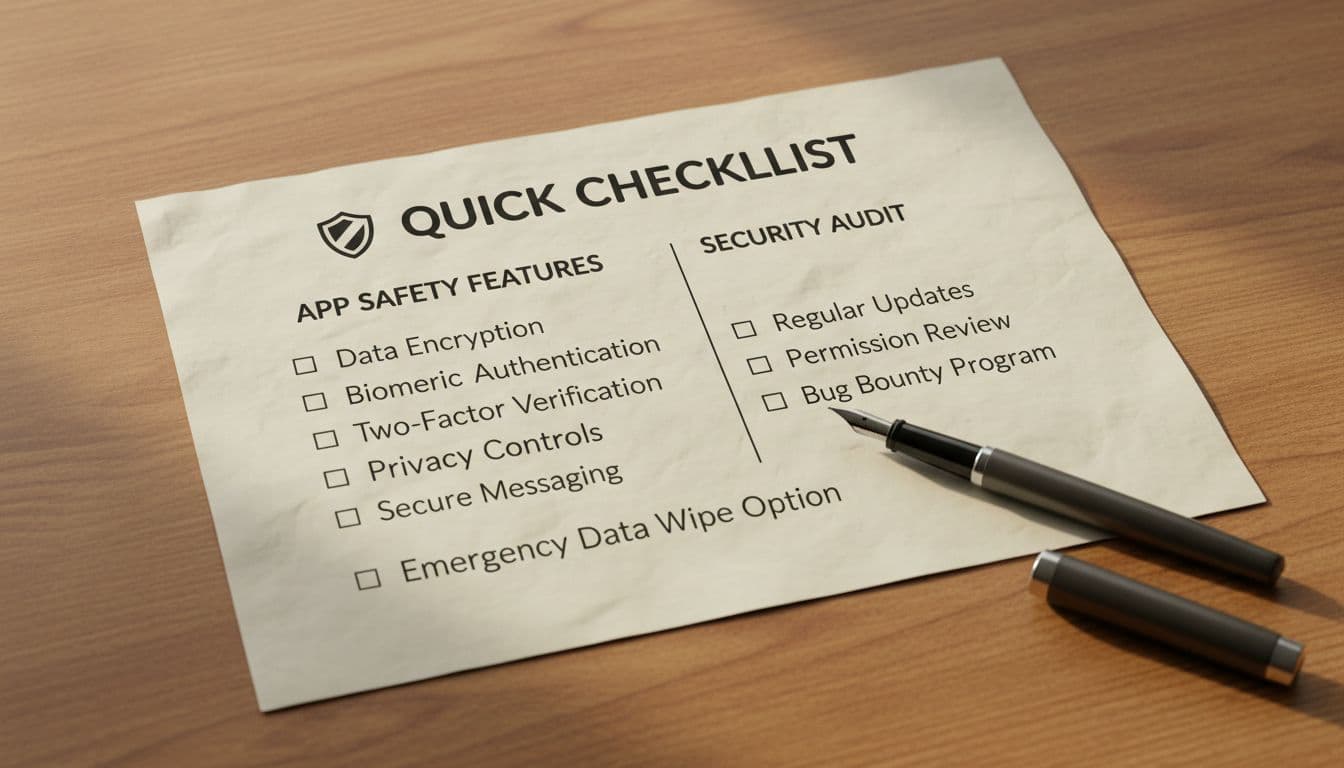
- Can I find block report tools from chat, profile, and content in under 30 seconds?
- Does Block stop messages and future contact, not just hide a user?
- Can I report a specific message or post (not only an account)?
- Are report reasons clear (spam, scam, harassment, sexual content, hate)?
- Does the app warn against sharing sensitive info in reports?
- Can I set messaging or discovery limits (friends-only, private profile)?
- Are community rules easy to find and written in plain language?
- For minors, are safer defaults available (or at least possible to configure)?
- Is there a transparent safety help page with expectations and examples?
- After updates, do these tools still exist in the same general areas?
Bottom line: If you can’t find block and report quickly, the app isn’t ready for real-world use. Run this 10-minute check before you hand it to a child, a classroom, or a large group of learners.

