Audio can make a language lesson feel alive, or it can quietly create risk that shows up months later. A new market launch, a bigger ad budget, or a routine app update can surface gaps in audio licensing you didn’t notice during production.
This guide is a practical compliance aid for product teams. It’s not legal advice. The goal is simple: run a fast, repeatable check on any lesson pack before you ship it, localize it, or promote it.
What makes language-app audio licensing different (and easier to mess up)
Language apps reuse audio everywhere. A single dialogue line can appear in onboarding, in spaced review, in a “slow mode” remix, and in an Instagram ad. That reuse is exactly where licensing breaks.
Start by thinking about your real distribution footprint:
- Worldwide by default: App Store and Google Play distribution is global unless you actively restrict it. Licenses limited to “US only” often fail on day one.
- Perpetual updates: Your app doesn’t “wrap” like a film. You patch bugs, refresh content, re-record lines, and repackage lessons for years.
- Marketing isn’t optional: User acquisition (UA) ads, store preview videos, influencer clips, and web landing pages often embed lesson audio.
- Offline downloads count: If you let users download lessons, you are distributing copies, not just streaming.
- Accessibility adds surfaces: Captions and transcripts can trigger attribution terms, and they can expose who actually spoke a line. If you also want a quick product check here, pair this with the language app accessibility checklist.
One more reality: “royalty-free” doesn’t mean “risk-free.” It usually means the license doesn’t charge per play. You still need the right scope, proof, and releases.
Treat every audio asset like a passport. If it can’t travel worldwide, it’ll get stopped at the worst time, usually during growth.
For context on how stock libraries present licensing scopes (which you still need to verify for your use case), see examples like royalty-free music licensing terms and sound effects licensing for apps.
Your 15-minute lesson audio licensing checklist (copy, paste, repeat)

Set a timer. This is a release-gate check you can run per lesson pack (or per batch of new audio).
Minute 0 to 2: Define the “actual use”
Write one sentence that matches reality, not hopes.
- App platforms: iOS, Android, web
- Distribution: worldwide (or list excluded territories)
- Duration: perpetual (or state the end date)
- Usage surfaces: in-app lesson, offline download, customer support demos, app store previews, UA ads, social ads, influencer briefs, email marketing, YouTube
Minute 2 to 6: Inventory every audio asset in the lesson
Create a quick list (file names are enough):
- Voiceover (narration, prompts, instructions)
- Dialogue (characters, roleplay, multi-speaker)
- Music beds (intro loop, background ambience, stingers)
- Sound effects (UI taps, correct/incorrect, atmosphere)
If you can’t list it quickly, your folder structure is already a risk.
Minute 6 to 10: Match each asset to a license or contract
For each asset (or library batch), confirm you have proof in a shareable form:
- Signed license agreement or vendor terms (saved as PDF)
- Invoice or receipt tied to the licensed account
- Cue sheet or track list (especially for music beds)
- Performer release for recorded voices (including accents and characters)
Also confirm the license scope covers:
- Commercial use
- Apps and software (not “video only”)
- Marketing and paid ads
- Worldwide territory
- Perpetual term (or a renewal plan)
Minute 10 to 13: Red-flag scan (fast “no” answers)
Stop and escalate if any answer is “no” or “not sure”:
- You used Creative Commons “NonCommercial” (NC) audio in a paid app, an ad-supported app, or a subscription funnel.
- The license bans paid advertising, “sponsored content,” or “promotional use.”
- The voice talent contract is missing a clear usage grant for apps.
- You can’t tell whether the music triggers PRO performance royalties in your target use (or the vendor warns about PRO restrictions).
- The license forbids edits, time-stretching, translations, or derivative works (common in language learning where you slice clips).
- There’s no clause allowing sublicensing to app stores, affiliates, or ad platforms.
Minute 13 to 15: Log it like you’ll need it in a dispute
In a shared tracker, record:
- Asset ID, source, and owner
- License start and end date (or “perpetual”)
- Approved usage surfaces (in-app, offline, ads, previews)
- Link to proof (contract, invoice, release)
- Notes on attribution, restrictions, or renewals
If you want a companion “does this build behave under stress?” check (because updates often reshuffle audio packs), use the 10-minute crash stability test.
Rights, proof, and controls: a simple map that prevents 80% of issues
Use this table when you’re onboarding a new audio source or cleaning up an old catalog.
| Asset type | Rights you typically need | Typical proof to keep |
|---|---|---|
| Voiceover (narration, prompts) | Recording rights, copyright assignment or license for the recording, app and marketing usage, edits and derivatives, worldwide, term | Voice talent agreement, work-for-hire or license grant, performer release, invoice, session logs |
| Dialogue (multi-speaker, characters) | Same as voiceover plus clear permission for reuse across lessons, character voices, and localization workflows | Contracts for each performer, studio agreement (if used), releases, cast list tied to files |
| Music bed (background music) | Sync-type permission for app use, reproduction/distribution for downloads, marketing/ads use, territory and term, PRO/neighboring-rights clarity | License certificate or agreement, invoice, cue sheet/track list, vendor terms snapshot (PDF) |
| SFX (UI sounds, ambience) | License for software/app use, reproduction/distribution, ability to edit, marketing use if used in promos | SFX library license, invoice/receipt, asset list, vendor email confirmation if scope is unclear |
Creative Commons: what usually breaks in commercial apps
Creative Commons can work, but only when the license matches your business model and your distribution surfaces.
Two common traps: NC (NonCommercial) often conflicts with paid apps and ads, and SA (ShareAlike) can require you to license adaptations under the same terms, which may not fit proprietary lesson packs.
If you use CC audio, document the exact license version, attribution text, and whether you made edits (edits can trigger adaptation rules).
License clauses to look for before you ship
You don’t need perfect legal drafting to do a good first-pass scan. Look for clear language on:
- Territory (worldwide is the safest default for app stores)
- Term (perpetual, or renewal rules and fees)
- Media and platforms (mobile apps, web, embedded audio, offline downloads)
- Marketing rights (paid ads, trailers, app store previews, social)
- Sublicensing (to Apple, Google, Meta, TikTok, affiliates, distributors)
- Edits and derivative works (looping, cutting, time-stretching, mixing)
- Attribution (where it must appear, and whether it’s practical in-app)
- Exclusivity (avoid exclusivity unless it’s intentional and priced for it)
- AI training restrictions (whether your vendor can train on your content, or whether you are restricted from training models on the audio)
- Union or performer releases (explicit consent for intended use)
- PRO and neighboring rights (who collects, where, and for which uses)
For teams buying from subscription libraries, keep a saved copy of the terms in force on the purchase date. Providers update terms, and you’ll want your historical proof. As an example of how broad creator licenses are packaged (and why you should archive the exact plan terms), review Artlist licensing for creators.
Quick risk matrix (impact vs likelihood)
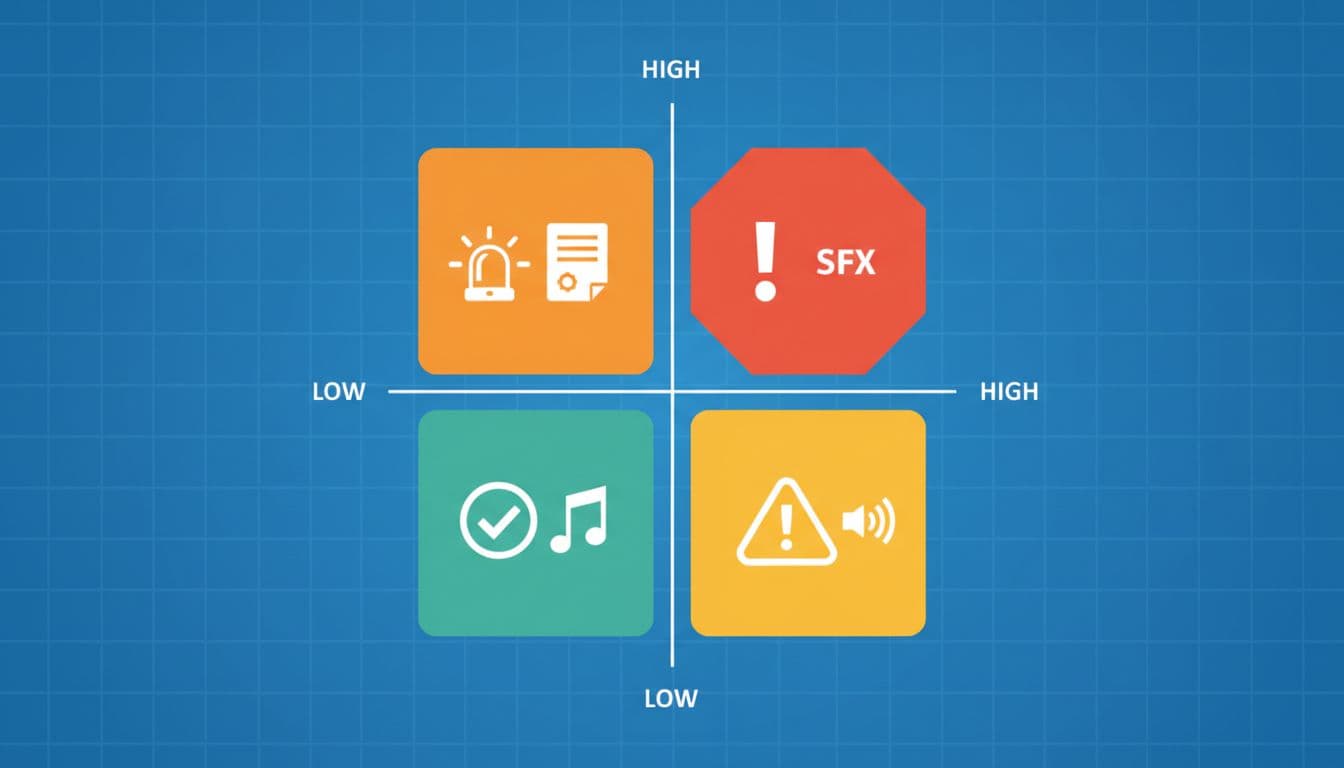
Here’s a compact matrix you can paste into your risk log:
| Low impact | High impact | |
|---|---|---|
| Low likelihood | Missing attribution in an obscure screen | Territory mismatch discovered during an acquisition due diligence review |
| High likelihood | “Video-only” music license accidentally used in app store preview | Voice talent contract doesn’t cover paid ads, ad campaign gets flagged, takedown demand follows |
Record-keeping that survives growth
Licensing records fail the same way build pipelines fail, by drift.
Keep it boring and strict:
- One source-of-truth folder (shared drive) with read-only PDFs for signed terms, invoices, and releases.
- Naming convention:
LANG_packID_assetType_vendor_trackOrTalent_term_territory_v1. Consistency beats creativity. - Asset-to-proof linking: store a CSV or sheet that maps each file hash or filename to its proof URL.
- Renewal reminders: calendar alerts 60 and 30 days before any term ends, plus an owner field.
- Change log: when you edit audio (trim, normalize, remix), note it, and store the new export as a new version.
Conclusion
A 15-minute check won’t answer every edge case, but it will catch the failures that cost teams time and trust. When your audio licensing matches worldwide distribution, perpetual updates, and real marketing use, you can ship lessons without second-guessing. Run the checklist on every new pack, log proof the same day, and treat licenses like product requirements, not paperwork.

