Most apps say they personalize lessons. The better question is simpler: do they change what comes next when you get things right or wrong?
You can spot that in one sitting. A 15-minute skip logic test shows whether a lesson path truly adapts, or whether it only moves in a straight line with a few review crumbs. That makes it easier to compare language learning apps before you pay for one.
What skip logic tells you about an app’s lesson path
Skip logic is the rule set that decides your next step. In language apps, that usually shows up in three places: where placement starts you, what the app does after repeated errors, and how it unlocks harder lessons.
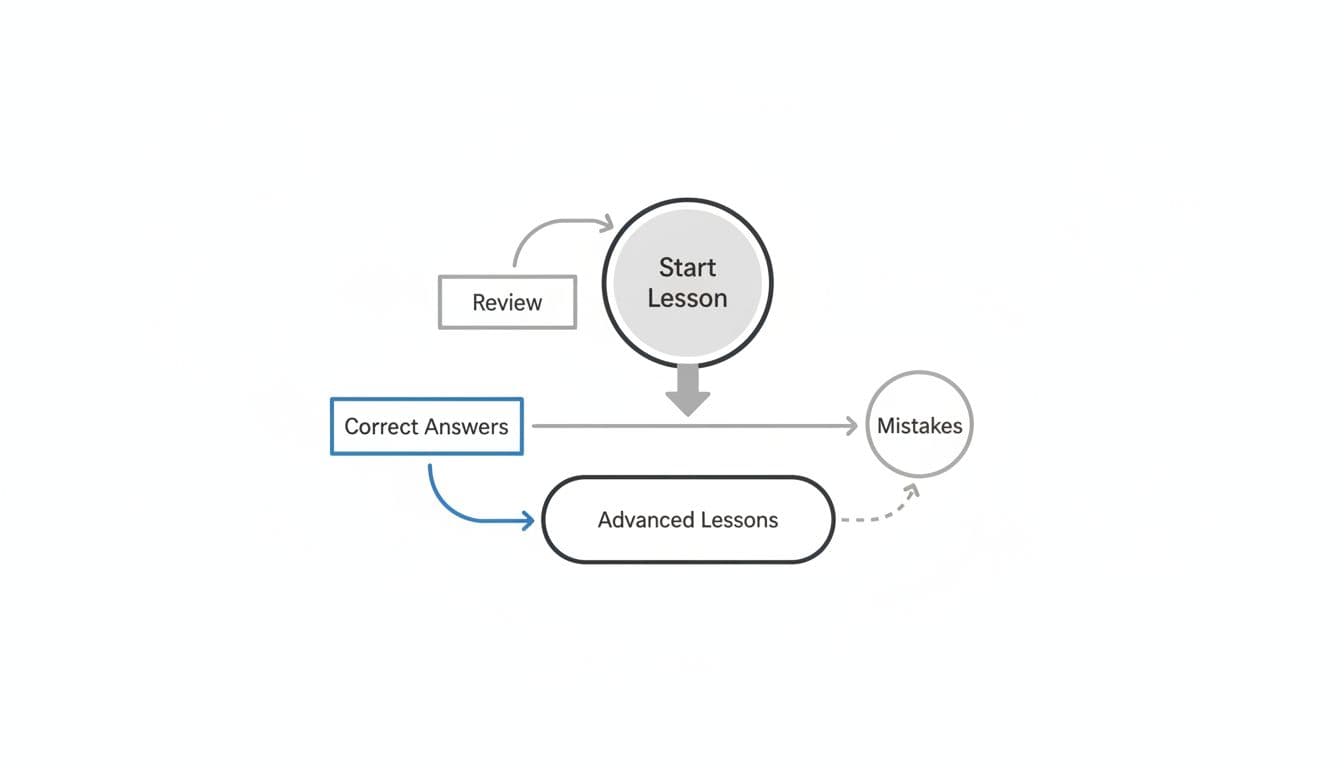
A good system behaves like a GPS. Strong answers can move you forward, but repeated mistakes should trigger a detour, not a polite shrug. That detour might be a shorter review loop, a hint, a contrast exercise, or an easier prompt type.
This matters because “adaptive” and “personalized” are not the same. Some apps personalize pace with reminders, streaks, or light review, yet the course itself stays mostly fixed. Real branching shows up when the lesson order changes because of your performance.
Placement behavior is the first clue. If you already know greetings, numbers, and basic verbs, a good app should let you skip some of that. Still, it shouldn’t throw you so far ahead that every sentence feels shaky. Progression is the second clue. Harder content should appear after stable performance, not after enough taps on “continue.”
Some newer tools market AI as proof of adaptivity. A broad AI language learning app guide can help you see how wide those claims are, but the lesson flow matters more than the label. For a closer look at error-driven behavior, LanguaVibe’s 10-minute adaptive learning test is a useful companion.
Good skip logic doesn’t only skip ahead. It also slows down when you need it to.
Because app features can change with updates, note the course, device, and date before you judge the result.
Run this 15-minute lesson skip logic test
Use one lesson type with instant right or wrong feedback. Pick material around your level, or slightly below it, so you can tell when the app chooses to advance or reteach.

This quick table keeps the test simple:
| Time | What to do | What to watch for |
|---|---|---|
| 0 to 3 min | Start a lesson or placement check | Does the app skip obvious basics, or force everyone through the same path? |
| 3 to 6 min | Repeat the same mistake twice in one area | Do you get a hint, a simpler prompt, or the same weak item again? |
| 6 to 10 min | Answer normally for the next five prompts | Does the app change activity type, insert contrast practice, or keep marching ahead? |
| 10 to 15 min | Open review mode, then answer the weak item right once | Does it still return soon, or vanish the moment you recover? |
The point is not to trick the app. You’re looking for visible reactions to a pattern.
For example, miss the same article or tense twice on purpose. Then watch whether the app notices the pattern, not only the single error. Strong skip logic usually shows three signs. First, it treats repeated errors differently from one-off slips. Second, it brings back the exact weak point, not a random cousin of it. Third, it adjusts progression with some restraint, because one correct answer shouldn’t erase a weak area.
Weak skip logic looks flatter. The app may repeat a full unit later, but it doesn’t react in the moment. Or it may skip ahead after a few easy answers while ignoring shaky spots underneath. That can feel fast, yet it often leads to brittle progress.
Different language pairs can behave differently inside the same product. A Spanish course might adapt more visibly than a smaller course. Because course designs change over time, run the test on the exact language, level, and device you plan to use.
Copy this checklist before you choose between apps
If you want a quick note you can screenshot, use this:
- Record the app, course, date, and device.
- Start near your level, not at the easiest unit.
- Check whether the placement step skips what you clearly know.
- Make the same mistake twice in one grammar or vocab area.
- Watch the next five prompts for targeted repetition or a hint.
- See whether the app changes task type, such as from multiple choice to typing.
- Open review or practice mode and look for the same weak point.
- Answer it correctly once and see whether it still returns soon.
Now turn that into a buying decision. If an app places you well, revisits exact weak points, and unlocks harder material with some care, it can work as your main study app. If the course is mostly linear but review is decent, it may work better as a practice supplement. If placement is poor and repeated errors barely change the next lesson, don’t commit to a long plan yet.
Parents comparing kids’ apps can use the same rule, because flashy rewards often hide linear lesson paths. Skip logic is only one part of the choice, though. Pricing, support, and stability still matter. A broader free vs paid platform comparison can frame the cost side, while LanguaVibe’s 20-minute community quality check for language apps adds a fast trust check before you subscribe.
Test two apps before you commit
The fastest way to judge language learning apps is to watch how they react to your mistakes. That’s the whole point of skip logic: the app should change its plan when your answers change.
Run this test on two apps back to back before you pay. Fifteen minutes can save months on a path that never adjusts.

