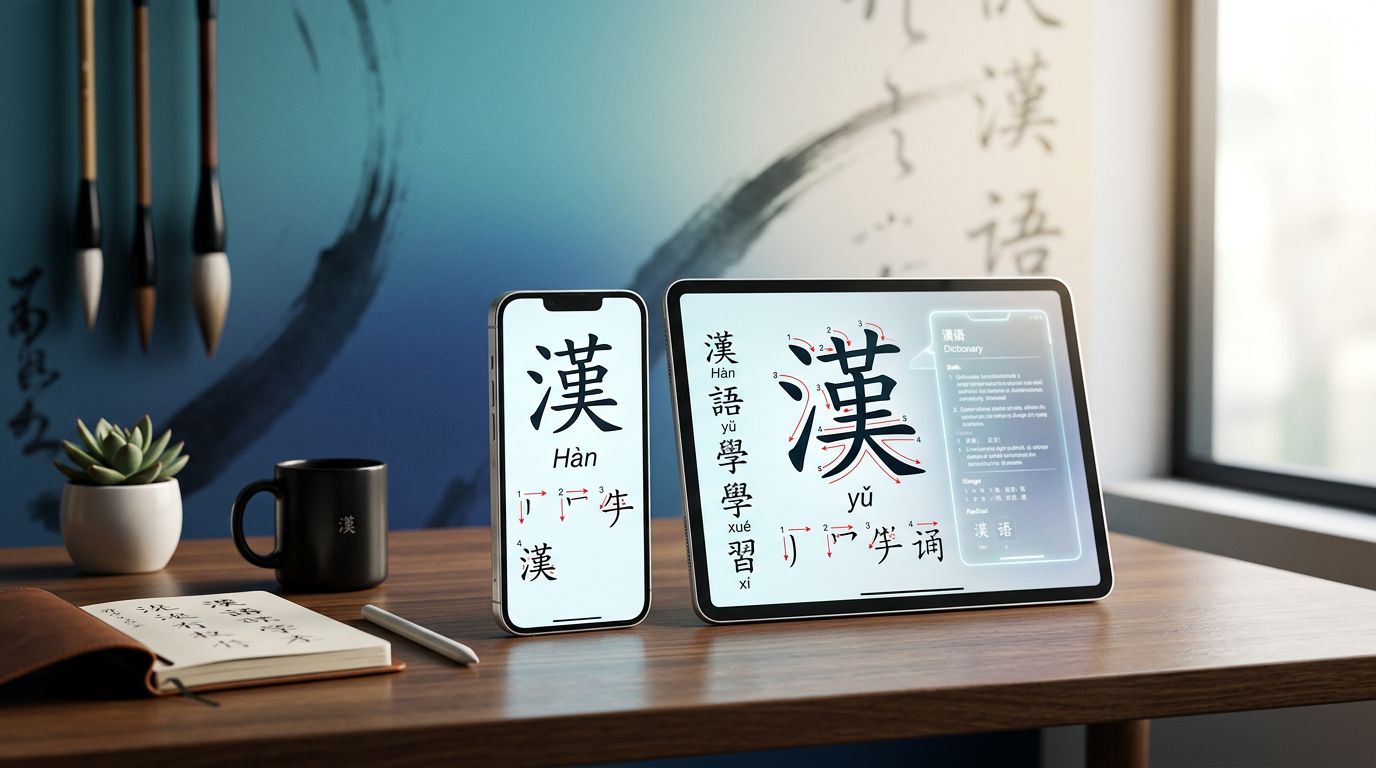
A Chinese dictionary app can save you from guessing, but the wrong one can also hide important details. A quick English gloss may miss a usage label, an aspect pattern, or the difference between written and spoken Mandarin.
For serious learners, the best choice depends on your work. Pleco remains the strongest all-purpose option, while Hanping suits Android users, Dong Chinese supports learning through native content, and browser tools work well for long reading sessions. The right pick becomes clearer when you compare search methods, example sentences, offline access, character tools, and payment models.
Key Takeaways
- Pleco is the best overall Chinese dictionary app for most intermediate and advanced learners.
- Hanping is a strong Android choice, especially for offline lookup and a simple one-time Pro purchase.
- Dong Chinese works well for learners who want dictionary entries connected to sentences, frequency data, and immersion.
- Serious character study benefits from Pleco’s handwriting search, OCR, and the paid Outlier Linguistics add-on.
- Translation apps can suggest a meaning, but they shouldn’t replace dictionary entries or context checks.
What Serious Learners Need From a Chinese Dictionary
Beginners can often manage with a basic Chinese-to-English translator. Intermediate and advanced learners need more control because Chinese words rarely have one fixed English equivalent.
A useful dictionary should search by Chinese characters, pinyin, English, handwriting, and speech. Handwriting input matters when you encounter an unfamiliar character. Pinyin search helps when you know how a word sounds but can’t type the characters. Stroke or radical search remains useful when handwriting recognition fails.
Definitions need context. A good entry separates meanings, gives part-of-speech information, and shows natural example sentences. For instance, the word 方便 can mean “convenient,” but it can also mean “to be convenient for someone” or act as a polite reference to using the toilet. An isolated translation won’t show those differences.
Pronunciation tools also deserve attention. Look for tone-marked pinyin, audio, and a way to check pronunciation by syllable. Some apps use text-to-speech, which is useful but doesn’t always sound like a native recording. Audio should support your listening practice, not settle every pronunciation question.
Dictionary content varies as well. Many apps use CC-CEDICT or other bilingual databases. These resources are valuable, but they may contain broad glosses, limited usage notes, or occasional gaps. A premium dictionary inside an app can add editorial detail, yet no single database covers every modern phrase.
The strongest tools also connect lookup with study. You should be able to save a word, record the sentence that contained it, and review it later. That turns a dictionary from a fire extinguisher for confusing text into a searchable record of your own reading.
Chinese Dictionary Apps Compared in 2026
The following comparison separates free access from paid upgrades. Store prices can change by country, operating system, tax, and promotion.
| App or tool | Best for | Free access | Paid access | Main limitation |
|---|---|---|---|---|
| Pleco | Overall study, lookup, character tools | Core dictionaries and basic lookup tools | One-time add-ons and bundles, including OCR, document tools, and premium dictionaries | Some major features require separate purchases |
| Hanping | Android lookup and offline use | Basic dictionary functions, with store-specific limits | Hanping Pro is generally a one-time purchase | Android-focused, with no equivalent iOS app |
| Dong Chinese | Native content and structured study | Limited dictionary and learning access | Subscription unlocks more content and study features | Full value depends on an active subscription |
| MDBG Chinese Dictionary | Free web lookup and cross-checking | Free browser access | No standard app subscription | Primarily an online tool, so offline use is limited |
| Hanzii | Fast translation and casual lookup | Free access with ads or limits | Premium subscription varies by region | Translation-style results need careful verification |
Pleco offers the broadest range of serious study tools. Hanping is easier to recommend when you use Android and want a focused dictionary without committing to a subscription. Dong Chinese makes more sense when reading practice and vocabulary review are as important as definitions.
For a second reference, the free MDBG Chinese dictionary remains useful. It can help you compare definitions, pinyin, stroke order, and example sentences in a browser.
Pleco Is the Best Overall Choice
Pleco has earned its position as the default dictionary for many Mandarin learners because it combines a strong free core with optional depth. It runs on iOS and Android, supports simplified and traditional characters, and handles searches by English, pinyin, Chinese text, handwriting, and, with the relevant purchase, camera OCR.
The free version is already practical for daily lookup. You can search entries, inspect pinyin and definitions, use handwriting input, and create basic flashcards. It also works well as an offline reference after you install the dictionaries you need.
Paid features turn Pleco into a wider study system. Depending on the package and platform, paid options can include OCR, document reading, advanced flashcard functions, handwriting recognition improvements, and premium dictionaries such as the Oxford Chinese Dictionary. The official Pleco site lists current add-ons, and our guide to Pleco add-ons breaks down which purchases earn their price.
Pleco’s dictionary choice is one of its biggest strengths. You can compare a general bilingual entry with an Oxford definition, a learner-focused resource, or a specialized character reference. That matters when a short English gloss doesn’t explain register or grammar.
The document reader is particularly useful for serious reading. You can paste text, open supported files, and look up words without leaving the passage. OCR can help with menus, book pages, or signs, although image quality, unusual fonts, and vertical text can affect recognition.
Pleco also has weaknesses. Its many settings can feel crowded, and the best experience requires deciding which dictionaries and add-ons fit your study. Purchases are tied to the Apple App Store or Google Play ecosystem, so they may not transfer automatically between iOS and Android.
Choose Pleco if you want one dependable reference that can grow with your Mandarin. Most learners should start with the free core, then buy only the tools they will use each week.
Hanping Is the Best Android-Focused Alternative
Hanping Chinese Dictionary is a sensible choice for Android users who want a focused, responsive lookup tool. It supports character and pinyin searches, example sentences, pronunciation information, and offline use. Its interface is less expansive than Pleco’s, which some learners find easier during quick reading.
The free version provides the basic dictionary experience, while Hanping Pro is generally sold as a one-time upgrade rather than a continuing subscription. Exact pricing and included features can vary by store and region. The Hanping Chinese Dictionary website provides the current product information.
Hanping works especially well for travel, classroom reading, and fast checks during a conversation. You can look up a character by handwriting when you don’t know its pronunciation, then review related words in the entry.
Its main limitation is platform coverage. Hanping is built for Android, so iPhone users need another option. It also offers fewer ways to build a large, customized reference library than Pleco.
For Android learners who don’t need a document reader, premium dictionary bundles, or a large add-on system, Hanping can be the more comfortable daily tool. The one-time purchase model also appeals to users who want to avoid another monthly subscription.
Dong Chinese Connects Dictionary Lookup With Reading
Dong Chinese is better understood as a learning platform with dictionary functions than as a bare dictionary. It connects vocabulary lookup with frequency information, example sentences, grammar material, and Chinese content. That makes it useful for learners who want to see how words behave in real sentences.
The free level gives you a way to explore the service, but the full library and study functions require a paid subscription. Subscription details can change, so check the current Dong Chinese plans and features before committing.
Dong Chinese is a good fit for intermediate learners who already know basic grammar and want to increase their exposure to native or learner-oriented material. You can meet a word in a sentence, inspect its meaning, and add it to later review instead of copying isolated vocabulary into a list.
The platform is less suitable as your only offline travel dictionary. Its value depends on the content and features available through your account, app version, and internet connection. Regional app-store availability can also differ.
Use Dong Chinese alongside Pleco when your priority is reading. Pleco can remain your reference library, while Dong Chinese supplies a more connected path between lookup, frequency, and study.
Free Web Tools Still Matter
A serious learner doesn’t need to pay for every useful reference. Free web tools can fill gaps, especially when you read on a laptop or want a second definition.
MDBG is useful for quick lookups and cross-checking. Its data comes from a widely used bilingual dictionary project, and entries often include pinyin, character information, and example material. It doesn’t replace a full mobile app because browser access depends on an internet connection.
The Zhongwen Popup Dictionary browser extension is another useful choice for desktop reading. It lets you select or hover over Chinese text on supported webpages, then inspect definitions without copying every word into a separate app. Browser compatibility and extension-store availability can change, so test it with the sites you read most.
These tools work well for web articles, online forums, and digital books. They are less convenient for paper books, street signs, or rapid conversation. A web dictionary also won’t automatically give you the study history and flashcard workflow that a mobile app can provide.
A free resource can still be authoritative enough for a first lookup. The important habit is to check context before treating a gloss as the final meaning.
The Best App Depends on Your Use Case
Daily lookup
Choose Pleco if you move between English, pinyin, simplified characters, and traditional characters. Its search flexibility and offline support make it reliable for everyday study.
Android users who want fewer settings should consider Hanping. Its focused design makes quick checks less distracting, especially when you only need a definition, tone pattern, or example sentence.
Reading native Chinese content
Pleco’s document reader is the strongest mobile option when you read copied passages or supported files. It keeps lookup close to the text and lets you save useful words.
On a computer, the Zhongwen Popup Dictionary can make web reading faster. Dong Chinese is better when you want reading material tied to frequency information and later vocabulary review.
Avoid looking up every unknown word. First read the sentence, guess the function, and then check the entry. Save words that block meaning or appear often.
Exam study
Pleco works well for building custom lists from your textbook, class, or exam preparation material. Dong Chinese can add frequency and sentence exposure, which helps prevent memorizing disconnected English equivalents.
However, don’t assume an app’s HSK label is the current official exam syllabus. Chinese proficiency exam requirements and test formats can change. Compare the vocabulary in your app with the current information from the official exam provider or your school.
For exam preparation, dictionary lookup is only one part of the system. You also need timed reading, listening practice, writing review, and active recall. A dictionary app helps you create accurate study material, but it can’t measure every exam skill.
Character lookup and structure
Pleco is the clearest choice for unknown characters because it combines handwriting search, stroke information, radical searches, and optional OCR. Hanping also handles character lookup well on Android.
Learners who want to understand why characters are built as they are can add Outlier Linguistics resources through Pleco. The explanations focus on character components, sound clues, and historical development. They can correct the common mistake of treating every visible component as a simple meaning hint.
Use these explanations as a supplement. Character history can be complex, and a component explanation won’t tell you every modern word that uses the character.
Offline travel
Install Pleco or Hanping before leaving home, then test both in airplane mode. Download the dictionaries, confirm that handwriting search works, and check whether audio or OCR features need an internet connection.
Pleco is the better choice across iOS and Android. Hanping is convenient for Android users who want an offline-first dictionary with a simple paid upgrade. Translation apps can help with a menu or sign, but they are less dependable when the connection is poor or the text contains uncommon names.
Free Features Versus Paid Upgrades
Free dictionary apps are often enough for a first-year learner. You can usually search by pinyin or English, inspect basic definitions, hear pronunciation, and review common characters without paying.
Paid features become useful when your study involves longer texts or specialized references. OCR saves time with printed material. A document reader helps with books and articles. Premium dictionaries can provide better usage notes than a short community gloss. Advanced flashcards can support sentence mining and spaced review.
Subscription pricing usually belongs to services that provide a changing library of lessons, readings, audio, or cloud-based study tools. Dong Chinese fits that model. A one-time purchase is more common for dictionary add-ons and utility features, as with many Pleco and Hanping upgrades.
Before paying, ask how often you’ll use the feature. OCR may be worth buying if you read paper books every week. It may not be worthwhile if you only look up typed text. Also check whether an iOS purchase works on Android, because licenses often stay within the store where you bought them.
A Practical Dictionary Workflow
A dictionary becomes more useful when you follow the same process each time:
- Read the whole sentence first. Identify whether the unknown item is a noun, verb, adjective, measure word, or grammatical expression.
- Search with the least information available. Try pasted characters first. If you only know the sound, search pinyin. If you can’t identify the character, use handwriting or radical search.
- Compare meanings and examples. Check the part of speech, tone pattern, register, and common compounds.
- Save the source sentence. A sentence from your book or podcast often gives better memory support than an isolated word.
- Review selectively. Add words that are useful, frequent, or necessary for understanding the text. Don’t save every unfamiliar item.
Machine translation needs a separate rule. Google Translate, Hanzii, and similar tools may suggest a sentence-level meaning, but their output isn’t the same as a dictionary definition. They can miss word boundaries, confuse names with common words, or choose a meaning that doesn’t fit the grammar.
When a translation and dictionary disagree, inspect the Chinese sentence. Check the word’s examples, search the phrase in another reference, and ask a teacher or fluent speaker when the distinction matters.
Limitations to Keep in Mind in 2026
Chinese dictionary apps differ in their source data, update schedules, audio quality, and treatment of regional vocabulary. A mainland Chinese term may receive less attention in an English-focused dictionary, while a Taiwan usage may appear only in a resource with traditional-character support.
Offline access also isn’t identical across apps. Some dictionaries store entries locally, while OCR, cloud sync, audio, or content libraries may need an internet connection. Test the exact features before a flight or trip.
Privacy deserves a quick check when you use camera lookup or voice search. Image and audio data may leave your device, depending on the app and feature. Review the current permissions and privacy policy if you plan to scan personal documents.
Finally, dictionary entries can be incomplete even when the app is excellent. Use one primary tool consistently, then keep a second reference for difficult words. That combination is usually more reliable than switching between a dozen apps.
Conclusion
Pleco is the strongest starting point for most serious Mandarin learners in 2026 because its free core works well and its paid tools add depth without forcing a subscription. Hanping is a practical Android alternative, while Dong Chinese is better for learners who want lookup connected to native content and structured review.
Choose based on your actual study habits. The best Chinese dictionary app is the one that helps you identify a word, verify its use, save meaningful context, and return to it later. A clear definition begins the learning process, but the sentence around it is what makes the word usable.
Ready to Take Your Language Learning Further?
Your favorite language-learning app is a great place to start. Rocket Languages can help you go further with interactive audio lessons, pronunciation practice, real-world conversations, and structured learning.
Explore Rocket Languages →Affiliate disclosure: We may earn a commission if you purchase through this link, at no additional cost to you.
