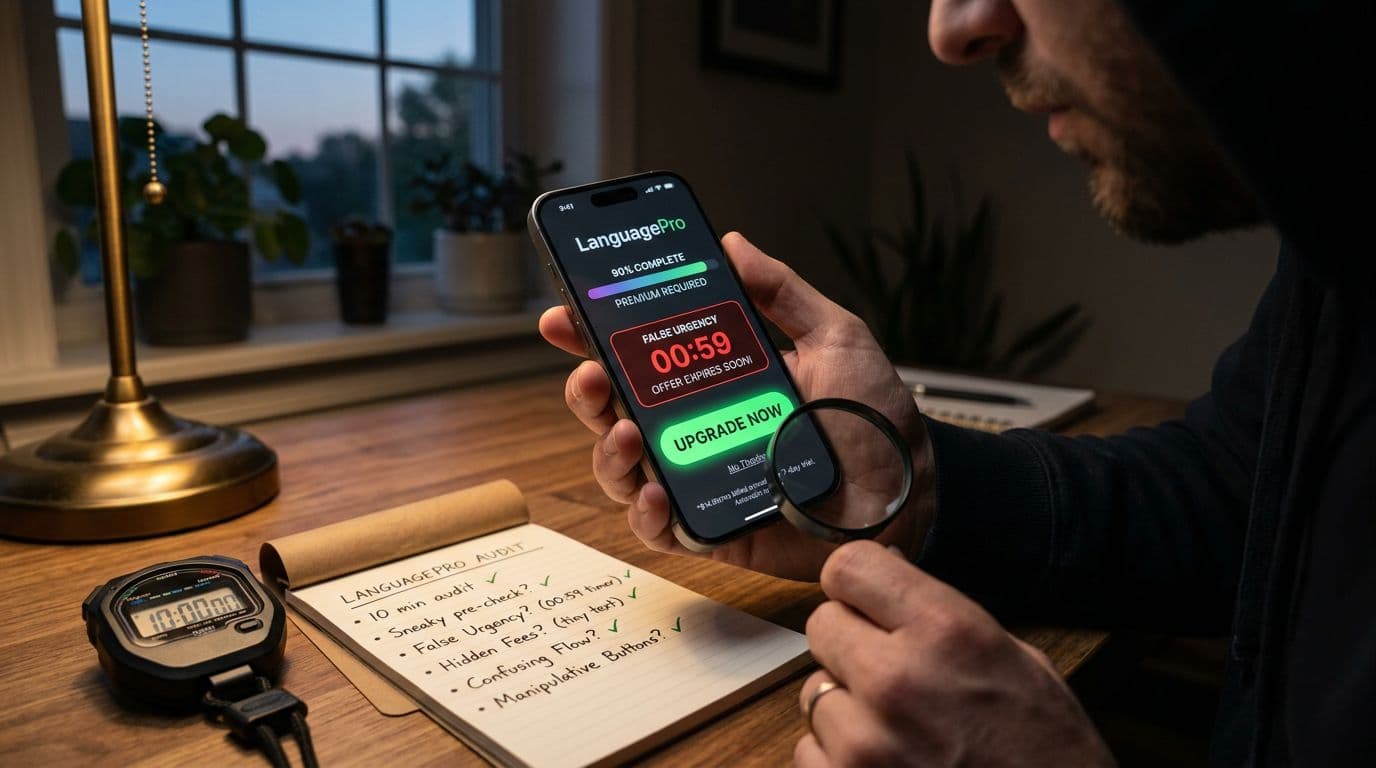
If your language app makes money through subscriptions, you’re shipping upsells every day. The risk is when those upsells slide into dark patterns upsells, the kind that nudge people into paying without clear, fair choice.
This post gives you a fast check you can run in 10 minutes, on a real device, with your real paywalls. You’ll spot the common traps (trials, streak pressure, hearts, lesson locks, discounts, family plans), name the pattern, then pick a safer fix that doesn’t crater conversion.
Prep the test in 60 seconds (so the 10 minutes stays real)
Start with a clean run so you see what new and returning learners see.
Use a fresh install or a new account, then queue up these screens before you start the timer:
- First paywall (post-onboarding)
- Trial start and confirmation screen
- A “hearts/lives” depletion moment (or equivalent mistake limit)
- A locked lesson or locked unit screen
- A streak rescue offer (or XP boost offer)
- Family plan selector (if you have it)
- Cancel path (in-app, plus store flow if applicable)
If you want a quick reference for what usually differs between free and paid in 2026, keep the compare free and paid language app features checklist handy while you review.
A good upsell feels like a clear offer. A dark pattern feels like a maze, a guilt trip, or a clock you can’t verify.
The 10-minute dark pattern check (minute-by-minute)
Minute 0 to 2: Price truth, hidden costs, and forced continuity
First, read the paywall like a lawyer would, not like a marketer.
Look for hidden costs and pricing confusion:
- “$7.99/month” that is actually billed annually today.
- A discount that hides the renewal price.
- Taxes, fees, or add-ons that appear after you tap “Start”.
Next, check for forced continuity in trials (a classic negative option):
- Is auto-renew clearly disclosed before the final confirmation?
- Does the UI say when billing starts and at what price?
- Do you rely on tiny footnotes for material terms?
If you’re aligning with US expectations, the FTC has repeatedly flagged these tactics. Their report, Bringing Dark Patterns to Light (FTC staff report), is a useful yardstick for what regulators consider deceptive design.
Minute 2 to 5: Choice architecture (equal prominence vs confirmshaming)
Understanding Dark Patterns Upsells
Now focus on how you present “Yes” and “No”.
Flag confirmshaming when decline options insult the user or imply failure:
- “No thanks, I don’t care about learning.”
- “I’ll stay behind my friends.”
Also check equal prominence:
- Is “Continue free” a link, while “Start trial” is a big button?
- Do both options appear on the same screen without scrolling?
- Are choices labeled clearly (for example, “Start 7-day free trial, then $59.99/year”)?
Finally, watch for nagging:
- If a user declines, do you ask again immediately?
- Do you re-prompt after every lesson, every streak check, and every mistake?
Occasional reminders are normal. Relentless prompts after an explicit “No” start to look like pressure, not persuasion.
Minute 5 to 8: Obstruction, sneaking, and disguised ads inside learning loops
Language apps often monetize inside the learning loop, so design mistakes hide well.
Check for obstruction:
- Can users find “Manage subscription” in two taps from settings?
- Do you force chat with support, surveys, or multi-screen “are you sure” paths?
- Is “Cancel” present but visually minimized?
Then check for sneaking:
- Are add-ons pre-selected (for example, “Max streak repairs”) during checkout?
- Does the family plan default on, with individual as a small toggle?
- Do you upgrade someone to annual when they intended monthly?
Also watch for disguised ads:
- An upsell that looks like a system warning (“Account at risk!”).
- A modal that mimics progress feedback (“You’re 92% to fluency, unlock now!”).
- A “claim reward” screen that is really a purchase screen.
For subscription flows, the FTC has said it plans to enforce against “trick or trap” designs. See the agency’s framing in FTC enforcement on illegal dark patterns in subscriptions.
Minute 8 to 10: Time pressure, streak/XP coercion, and pay-to-keep-going locks
Last, test urgency claims and pressure mechanics, because this is where language apps get creative.
Look for “limited-time” offers that aren’t honest:
- Countdown timers that reset when you reopen the app.
- “Today only” discounts that appear every day.
- Scarcity claims with no explanation (what ends, when, and why).
Then evaluate the learning penalty:
- Hearts/lives: Does free become “pay or stop,” or can users recover through practice?
- Lesson locks: Is content locked mid-path in a way that surprises users?
- Streak/XP pressure: Does the app imply you’ll “lose progress” unless you pay?
Urgency can work, but honest urgency is verifiable. If you can’t explain it in plain language, it’s a risk.
Safer upsell patterns that still convert (with mini examples)
The goal isn’t “never upsell.” It’s to replace manipulation with clarity.
Here’s a quick mapping you can use in review meetings:
| Risky pattern | What it looks like in language apps | Safer pattern that keeps intent |
|---|---|---|
| Forced continuity | Trial starts without clear renewal price | Show renewal price next to CTA, confirm in a plain-language line |
| Confirmshaming | “No, I don’t want to learn” | Neutral decline copy, same tone as accept copy |
| Obstruction | Cancel buried under help articles | One clear “Manage plan” entry, minimal steps, no forced chat |
| Disguised ads | Upsell styled like progress feedback | Label offers as offers, keep progress feedback separate |
| Hidden costs | Annual billed today shown as monthly | “Billed $X today” near price, no scrolling required |
| Nagging | Prompt after every lesson decline | Cooldown window, respect “Not now” for a set time |
Three fast “bad vs better” rewrites you can ship without redesigning your whole app:
Example 1 (trial start copy)
Bad: “Start FREE” (tiny footnote with renewal)
Better: “Start 7-day free trial, then $9.99/month. Cancel anytime in Settings.”
Example 2 (hearts/lives depletion screen)
Bad: “Out of hearts, go Premium to keep learning” (only one bright button)
Better: “Choose how to continue: Practice to earn 1 heart, Watch an ad, or Upgrade for unlimited mistakes.”
Example 3 (streak rescue offer)
Bad: “Your streak dies in 10:00” (timer resets later)
Better: “Streak repair available for the next 24 hours” (and make it true), plus “Continue without repair” at equal prominence.
If you’re updating subscription flows in the US, keep an eye on how “negative option” expectations are defined and updated. The legal baseline is evolving, and the Negative Option Rule entry in the Federal Register is a solid reference for what regulators focus on (clear terms, express consent, easy cancellation).
How to document findings for internal review (without a 30-page report)
A 10-minute check only helps if teams can act on it. Keep the output tight and repeatable.
Capture a small “evidence pack” for each issue:
- Screen recording (start from the prior screen to show context)
- Two screenshots (offer screen, then confirmation screen)
- Exact copy (CTA text, footnotes, timers, pricing)
- Path steps (tap-by-tap, including scroll requirements)
- Severity label (High if it affects consent, price clarity, or cancellation)
Add one sentence on impact and one sentence on the fix. For example: “Trial disclosure requires scroll, risk of uninformed consent. Fix by placing renewal price beside CTA and repeating on confirmation.”
This format makes it easier for product, design, and legal to agree on changes quickly, and it keeps debates grounded in what users actually see.
Conclusion
Upsells don’t need tricks to work. When you run this 10-minute check, you’ll spot the patterns that create complaints, refunds, and regulator attention, especially around trials, streak pressure, hearts, and cancellation.
Fix the highest-risk screens first, then re-test after each release. Over time, dark patterns upsells become clear offers, and users notice the difference.
Ready to Take Your Language Learning Further?
Your favorite language-learning app is a great place to start. Rocket Languages can help you go further with interactive audio lessons, pronunciation practice, real-world conversations, and structured learning.
Explore Rocket Languages →Affiliate disclosure: We may earn a commission if you purchase through this link, at no additional cost to you.
