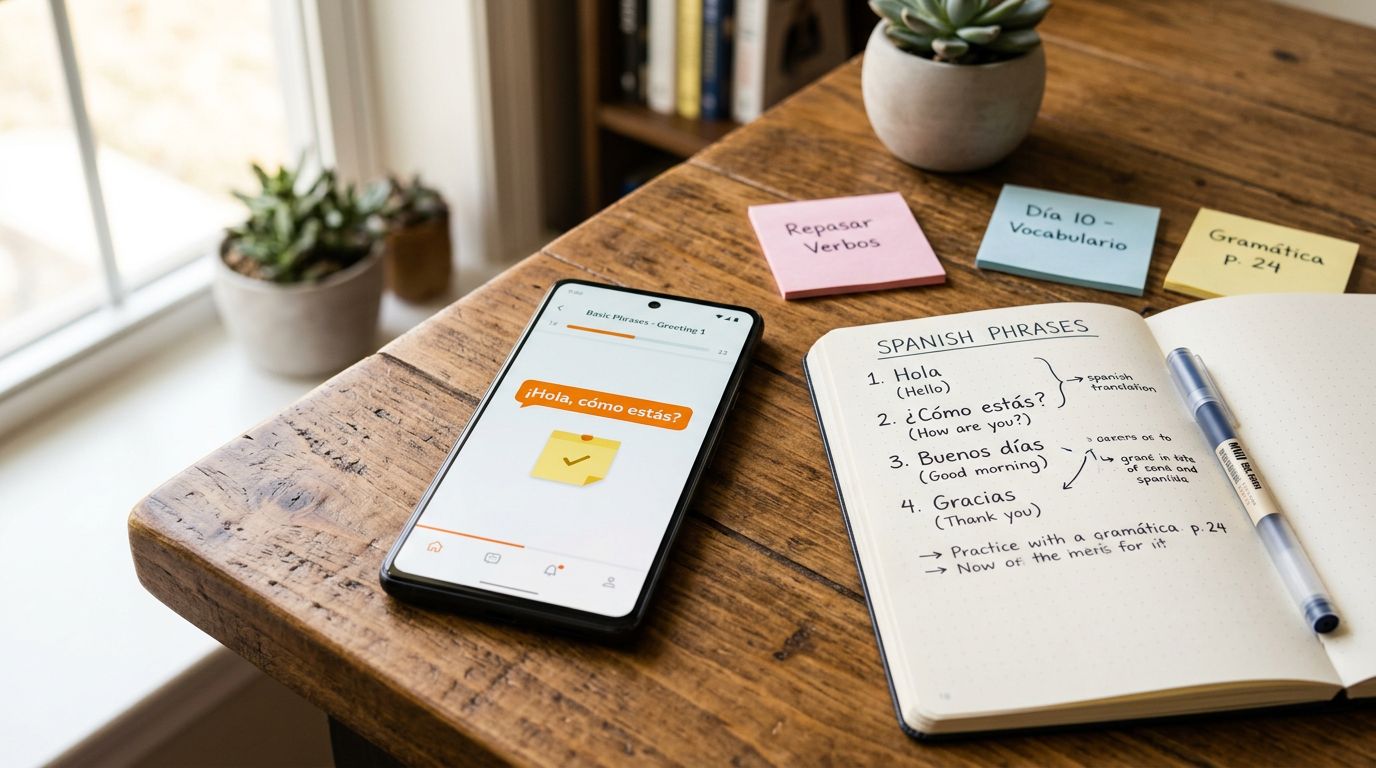
You don’t forget words because you’re lazy. You forget them because most language learning apps turn new language into confetti, scattered across lessons, reviews, and random “favorites” screens.
A quick language app note-taking check can tell you if an app will actually support real learning, the kind where you save a useful phrase with context, add a grammar reminder, and pull it back up when you need it.
This 15-minute test is built for normal study habits within interactive lessons: reading a dialogue, saving a word, adding a note, and finding it again later without hunting.
Why bookmarking beats “I’ll remember it”
Bookmarks and notes are your “second brain” for vocabulary review and habit formation in a language. Without them, your progress depends on the app’s review algorithm and your memory on a tired Tuesday.
A good system does three jobs:
First, it helps you capture vocabulary with context. Saving just “aprovechar = to take advantage” is thin. Saving it with a sentence you saw, plus your translation and cultural context, is thicker, and easier to recall later.
Next, it lets you attach grammar concepts to an example. Grammar clicks when you tie it to a real line, not a rule floating in space. Think “por vs para” next to a sentence you actually read, or dialogue for listening comprehension, not a textbook paragraph.
Finally, it helps you resurface saved items for review. If you can’t find what you saved in under 10 seconds, you’ll stop saving things. That’s the quiet failure mode.
If you also study across devices, treat bookmarks like your sync “canary.” If they don’t appear everywhere, your notes will split into versions. For a deeper device check, pair this with LanguaVibe’s cross-device sync test for language learning apps.
A bookmark you can’t retrieve quickly isn’t a learning feature, it’s clutter.
The 15-minute language app note-taking test (step-by-step)
Set a timer. Run the script exactly once per language learning app. Use the same language and the same lesson type if you can (a short dialogue works best). Running this AI note-taking script regularly builds habit formation for better retention.
- 00:00 to 01:00, Set up a “Test” container
Create a folder, list, tag, or collection called “Test.” If the app doesn’t support organization, note that. - 01:00 to 04:00, Save 3 items from real content
From a lesson or reading screen featuring native speakers, save: (a) one single word, (b) one short phrase, (c) one full sentence. Check whether you can save directly from the content screen or if you must copy and paste. - 04:00 to 06:30, Add context + your translation
Open each saved item and add a note with two lines:
Line 1: the original sentence you saw (or a screenshot-style copy), ideal for sentence-based learning or story-based learning.
Line 2: your translation (short and natural).
Check whether the app keeps the note attached to the saved item, not in a separate area you’ll forget. - 06:30 to 08:30, Add one grammar note (tiny, usable)
Add a note like: “Use X here because (reason), compare with (other form).”
Keep it to one rule and one example. Check whether notes allow basic formatting (new lines) and whether they stay readable. - 08:30 to 10:30, Tag and sort
Tag the three items as “Test.” Then try to sort your saved list by date added, lesson, or tag. If sorting is missing, check whether search is strong enough to compensate. - 10:30 to 12:30, Retrieve what you saved (fast)
Close the lesson. Go to saved items. Now find the phrase you saved using:
(a) search, (b) filtering by tag/list, and (c) scrolling.
Time yourself. Fast retrieval supports active recall, so if search can’t find your exact phrase, that’s a red flag. - 12:30 to 14:00, Export or share (portability check)
Look for export, share, copy-to-clipboard, or “send to flashcards.” If the app can’t export, check whether you can at least select and copy text cleanly. Portability matters because you might later move review into a dedicated system. - 14:00 to 15:00, Sync and offline sanity check
If you have a second device, open the app and see if the “Test” items appear. If not, log what’s missing. Also check whether saved items remain visible during offline lessons (airplane mode), even if lessons don’t.
Printable scorecard + a sample filled example
Use this scorecard to rate each app on a simple 0 to 2 scale: 0 = missing, 1 = works but frustrating, 2 = works well.
| Criterion | 0 | 1 | 2 | Your score |
|---|---|---|---|---|
| Save from lesson screen | Can’t | Possible, clunky | One-tap or quick | |
| Save phrases and full sentences | Word only | Limited | Words, phrases, sentences | |
| Notes support (multi-line, translation exercises) | No notes | Notes, awkward | Notes easy to read with handwriting recognition, handwriting search, Apple Pencil support for digital notepad | |
| Tags, folders, or lists | None | Basic | Flexible and quick | |
| Search saved items | Weak | OK | Finds exact text fast | |
| Filter/sort saved items | No | Some | Filter + sort both work | |
| Edit after saving | No | Yes, limited | Easy edits, no loss | |
| Export or copy out (incl. flashcards) | Locked in | Partial | Clean export or copy | |
| Cross-device sync | No | Unreliable | Consistent | |
| Offline access to saved items | No | Partial | Saved items usable offline |
How to interpret totals (max 20): 16 to 20 is strong, 11 to 15 is workable with a backup, 0 to 10 is a warning unless you only need light bookmarking.
Here’s a sample filled scorecard for a hypothetical app, “LinguaShelf” (imaginary), to show how detailed your notes should be:
| Criterion | Score | Notes (what happened in the test) |
|---|---|---|
| Save from lesson screen | 2 | Star icon on each line, saved instantly |
| Save phrases and full sentences | 1 | Phrases saved, full sentence required copy-paste |
| Notes support (multi-line, translation exercises) | 2 | Notes allow line breaks for translation exercises, handwriting recognition and search worked smoothly with Apple Pencil support as digital notepad, stayed attached |
| Tags, folders, or lists | 1 | One list only, no tags |
| Search saved items | 2 | Found phrase with partial match |
| Filter/sort saved items | 1 | Sort by date only, no filtering |
| Edit after saving | 2 | Edited note later, no issues |
| Export or copy out (incl. flashcards) | 0 | No export or flashcards option, copy blocked inside saved view |
| Cross-device sync | 1 | Appeared on tablet after relaunch, not immediate |
| Offline access to saved items | 2 | Saved list opened in airplane mode |
If export scores 0, plan for a parallel notebook, otherwise you’re renting your own notes.
If you decide to keep your review off your phone, LanguaVibe’s offline vocabulary review system for app learners is a good next step.
What to do with your score (by learner type)
A score is only useful if it changes what you do next.
- Casual learners (10 minutes a day): Keep it simple. Choose a language learning app that scores well on saving phrases, search, and offline saved access. If the app’s built-in notes feel cramped, consider an AI study companion or AI note-taking tool. For ideas, see Drawboard’s roundup of best note-taking apps for students in 2026.
- Exam prep (B1 to C1, writing and accuracy): Prioritize multi-line notes for reading comprehension, tags, retrieval speed, and real-time feedback. You’ll save grammar patterns and model sentences, then reuse them. If an app can’t organize notes, you’ll lose time. Also use a goal-based selection lens, like this guide to choose the best language app for your goals.
- Intensive readers (articles, novels, subtitles): You’ll capture lots of “almost-known” words. Look for strong phrase saving, fast search, export, PDF annotation, and infinite canvas. For professional contexts like meeting transcription or speaking practice from dialogues, check AI-powered conversations in a capture-first vocab tool, for example CapWords AI: Photo Vocabulary (useful if you want to snap words from signs or pages) or a notes-first language journal like Duory, language learning notes.
Conclusion
If an app can’t help you save, label, and retrieve what matters, your study turns into re-learning the same “new” words again and again. Run this test once, then trust the evidence over surface-level gamification features found in many apps. The best language app note-taking setup feels boring in a good way because it quietly keeps your learning organized, searchable, and ready for review, forming the foundation for genuine language immersion.

