Audio is the heartbeat of most language apps. If playback stutters, stops on lock, or loses controls after a call, learners don’t just get annoyed, they lose reps.
This 15-minute background audio control test is a fast, repeatable way to catch the regressions that quietly tank listening comprehension, spaced repetition reviews, and hands-free practice on commutes. It’s also a great “release gate” check before pushing a build.
Run it exactly as written, log the outcomes, then re-run it every sprint.
What this test validates (and why language apps can’t ignore it)
A language app’s audio isn’t “just media.” It’s instruction, feedback, and pacing. When background playback fails, learners stop shadowing, stop repeating, and often stop trusting the app. One broken interruption flow can undo a week of habit-building.
This test focuses on three learner-critical behaviors:
- Listening comprehension in real life: People study while walking, cooking, or riding transit. That means lock screen controls and stable audio routing matter.
- Spaced repetition that uses sound: Review loops often rely on quick play, pause, and replay. If controls disappear after backgrounding, reviews slow down.
- Hands-free practice: Voice assistants, Bluetooth, and call interruptions happen constantly. Your app has to recover like a good podcast player.
Platform concepts help explain the risk, without forcing a specific implementation. On iOS, background audio depends on audio session choices and proper interruption handling. On Android, audio focus, MediaSession integration, and foreground playback rules decide whether the system kills your audio or keeps controls available.
It’s also worth testing “audio coexistence” expectations. Some learners want to mix your app with music at low volume, while others expect your lesson to take full focus. A quick reality check is to scan real user expectations, for example this list of language apps that can play alongside music on iPhone.
The 15-minute background audio control test (step-by-step with expected outcomes)
Setup (60 seconds)
Use one “audio-heavy” lesson that includes play/pause and skip (or next line). Turn volume to a safe mid level. If possible, have Bluetooth earbuds nearby for Step 4.
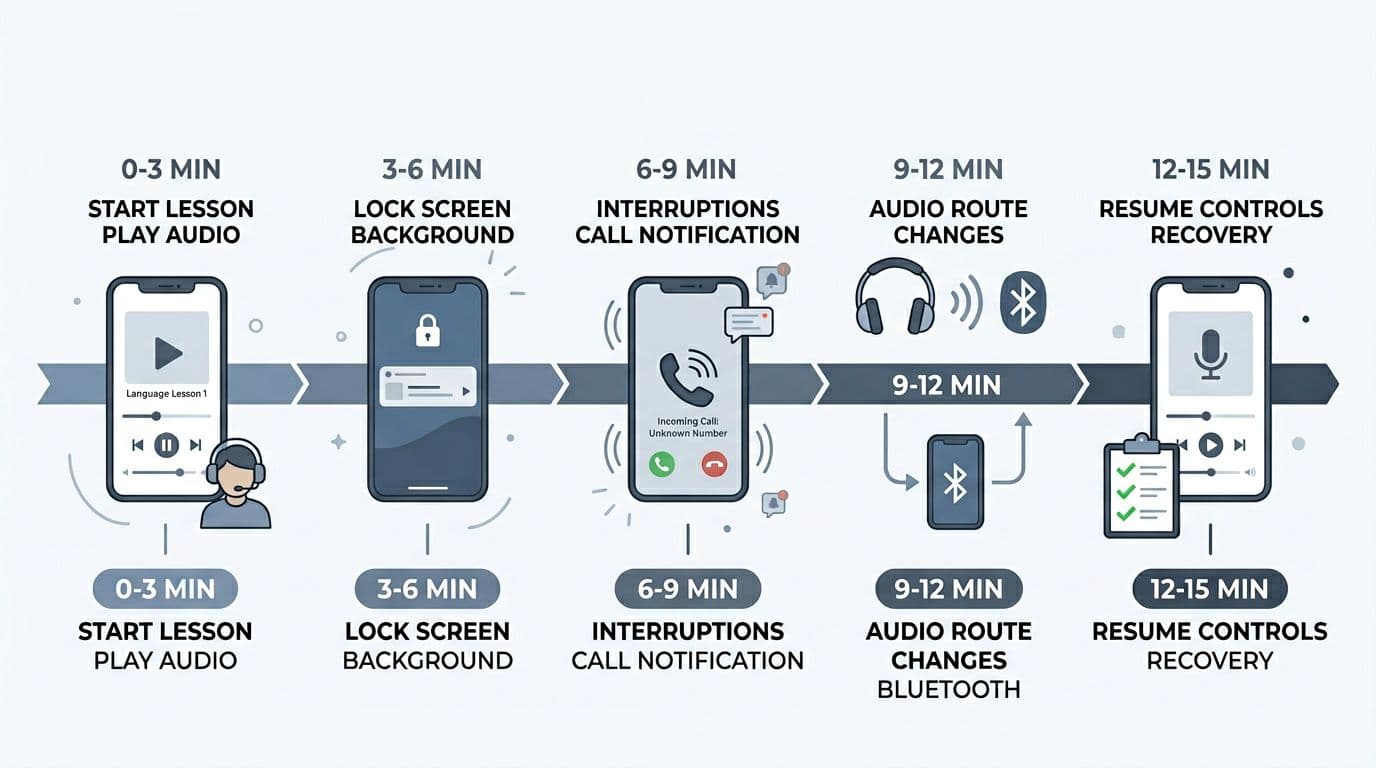
1) Minutes 0 to 3: Start lesson + baseline controls
- Start lesson audio.
- Use in-app controls: pause, resume, skip forward/back (or replay line).
- Scrub (if supported) and return to the prior position.
Expected outcome: Audio starts quickly, controls respond within one tap, and state stays consistent (UI matches actual playback).
2) Minutes 3 to 6: Backgrounding + screen lock
- Send the app to background while audio plays.
- Lock the screen for 30 seconds.
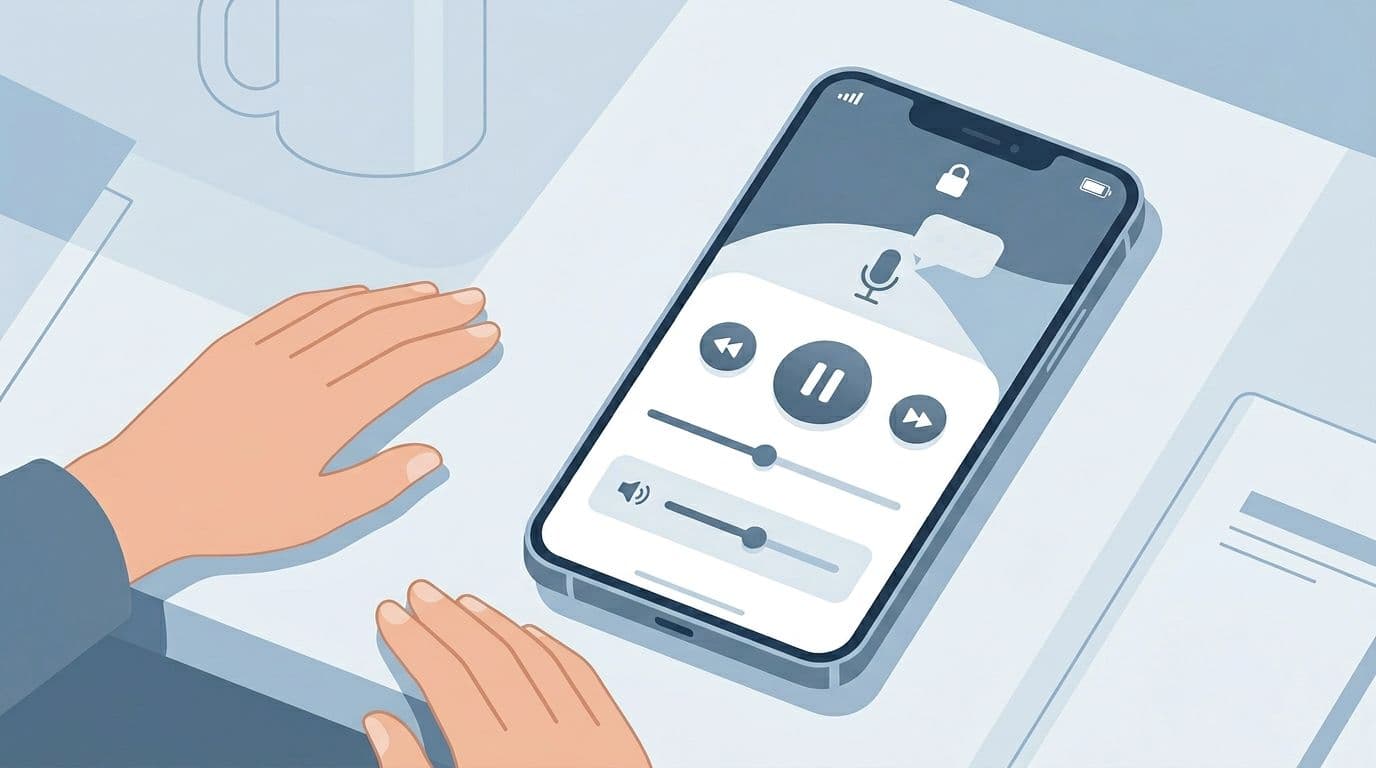
- Use system controls (lock screen controls on iOS, notification controls on Android) to pause and resume.
Expected outcome: Audio keeps playing (if your product promises background playback), system controls remain usable, and returning to the app shows the correct state.
If learners can’t pause from the lock screen, they’ll stop using your app in public places. That’s a trust issue, not a “nice-to-have.”
3) Minutes 6 to 9: Interruptions (calls, alarms, notifications, assistant)
- Trigger an interruption (pick what you can simulate): incoming call or VoIP, timer/alarm, notification sound, voice assistant.
- End the interruption.
- Observe whether audio resumes, pauses, ducks, or restarts.
Expected outcome: Behavior matches your product decision, and it’s consistent. If audio pauses, it should pause cleanly and resume from the same position.
4) Minutes 9 to 12: Audio route changes (Bluetooth connect/disconnect)
- Start on phone speaker, then connect Bluetooth audio mid-play.
- Disconnect Bluetooth mid-play (or turn earbuds off).
- Repeat once while paused, then resume.
Expected outcome: Audio reroutes without losing position, without double audio, and without UI desync. Controls still work after the route change.
5) Minutes 12 to 15: Competing audio apps + recovery
- Start another audio app (music or podcast) while your lesson plays.
- Switch back to your app, then background it again.
- Verify “recovery”: controls, position, and audio focus behavior.
Expected outcome: Your app follows your intended rule (either take focus or yield), and recovery does not require force-close.
Here’s a compact table of the core test cases to log:
| Test case | Trigger | Expected outcome (define for your app) | What to watch |
|---|---|---|---|
| Backgrounding | Home gesture/app switcher | Playback continues or pauses by design | UI state mismatch |
| Screen lock | Power button, locked 30s | Lock screen controls work | Controls disappear |
| Incoming call/VoIP | Real call or VoIP ring | Audio pauses or ducks, then recovers | Restarts from 0 |
| Alarms/timers | Timer sound | Predictable pause/duck behavior | Stuck “paused” |
| Notification sounds | Message/notification | No crash, no stuck routing | Audio becomes quiet forever |
| Voice assistant | Siri/Assistant invoke | Interruption handled, then resume | Audio focus never returns |
| Route change | Bluetooth connect/disconnect | Smooth reroute, same position | Double playback |
| Other audio app starts | Music/podcast play | Correct focus policy | Both play loudly |
| Recovery/resume | Return to app | Controls and position correct | Requires app relaunch |
Scoring, logging, and a printable checklist (so regressions don’t slip through)
A short test is only useful if teams score it the same way. Keep it simple: Pass, Fail, or Needs decision (when product hasn’t defined what should happen).
Recommended pass/fail rules
- Pass: Playback state, controls, and position remain correct through every step.
- Fail: Any crash, audio restart from the wrong place, missing system controls, or UI showing play while audio is silent.
- Needs decision: Mixing behavior is unclear (should your app duck music, pause it, or allow mixing?).
Gotcha: “It plays in background” isn’t enough. Users also need reliable controls and correct resume position after interruptions.
What to log (minimal but useful)
- Device model, OS version, and audio route (speaker, wired, Bluetooth).
- Whether the app was in a speaking task (mic use often changes audio behavior).
- Exact failure symptom and the step timestamp (for example, “Minute 9, Bluetooth disconnect caused audio to stop but UI still showed playing”).
If this test fails only on Bluetooth, pair it with LanguaVibe’s audio latency test for language apps to separate control bugs from timing drift and route latency issues. If failures happen while offline (common on commutes), also run the checklist for offline lessons and audio because background restrictions and downloads can interact in messy ways.
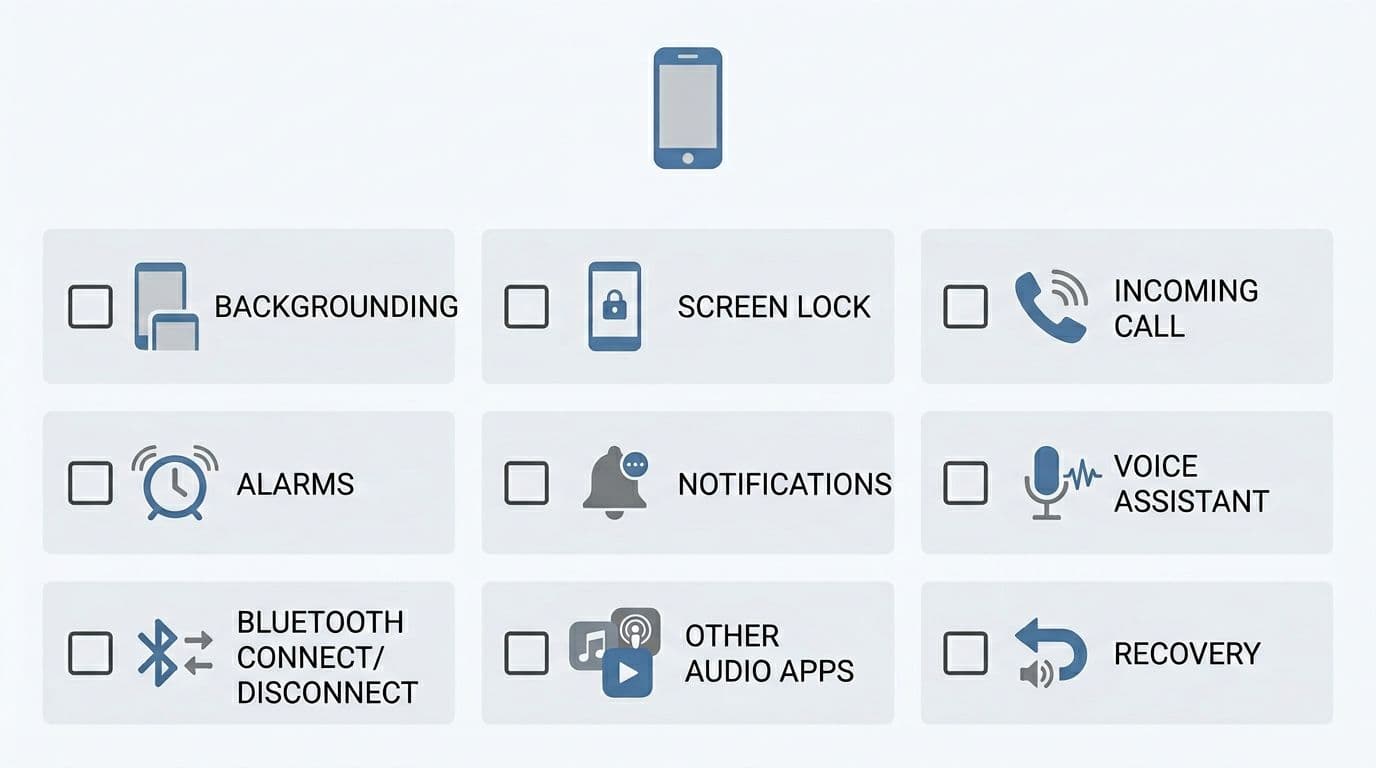
Printable checklist (copy/paste into a test run)
☐ Baseline in-app play/pause/skip works
☐ Backgrounding keeps correct behavior (per spec)
☐ Screen lock controls work and state stays correct
☐ Incoming call/VoIP interruption recovers correctly
☐ Alarm/timer interruption recovers correctly
☐ Notification sound does not break playback
☐ Voice assistant interruption recovers correctly
☐ Bluetooth connect reroutes correctly
☐ Bluetooth disconnect reroutes correctly
☐ Other audio app start follows focus policy
☐ Return to app shows correct position and controls
Teams evaluating overall app quality can also connect this to broader selection criteria, like this guide to choose language learning app for goals, since audio reliability directly affects whether “hands-free listening” is realistic.
For apps that include AI conversation and spoken practice, interruptions matter even more because sessions are longer and more call-like. This roundup on AI language learning apps in 2026 is a useful reminder of how often learners practice with earbuds and voice features.
Conclusion
A good background audio control experience feels like a steady metronome. It keeps time through locks, calls, and Bluetooth quirks. Run this 15-minute test on every release candidate, on at least one iOS device and one Android device, then fix failures before they become one-star reviews. Once the basics are stable, learners can focus on the language, not the play button.
Ready to Take Your Language Learning Further?
Your favorite language-learning app is a great place to start. Rocket Languages can help you go further with interactive audio lessons, pronunciation practice, real-world conversations, and structured learning.
Explore Rocket Languages →Affiliate disclosure: We may earn a commission if you purchase through this link, at no additional cost to you.
