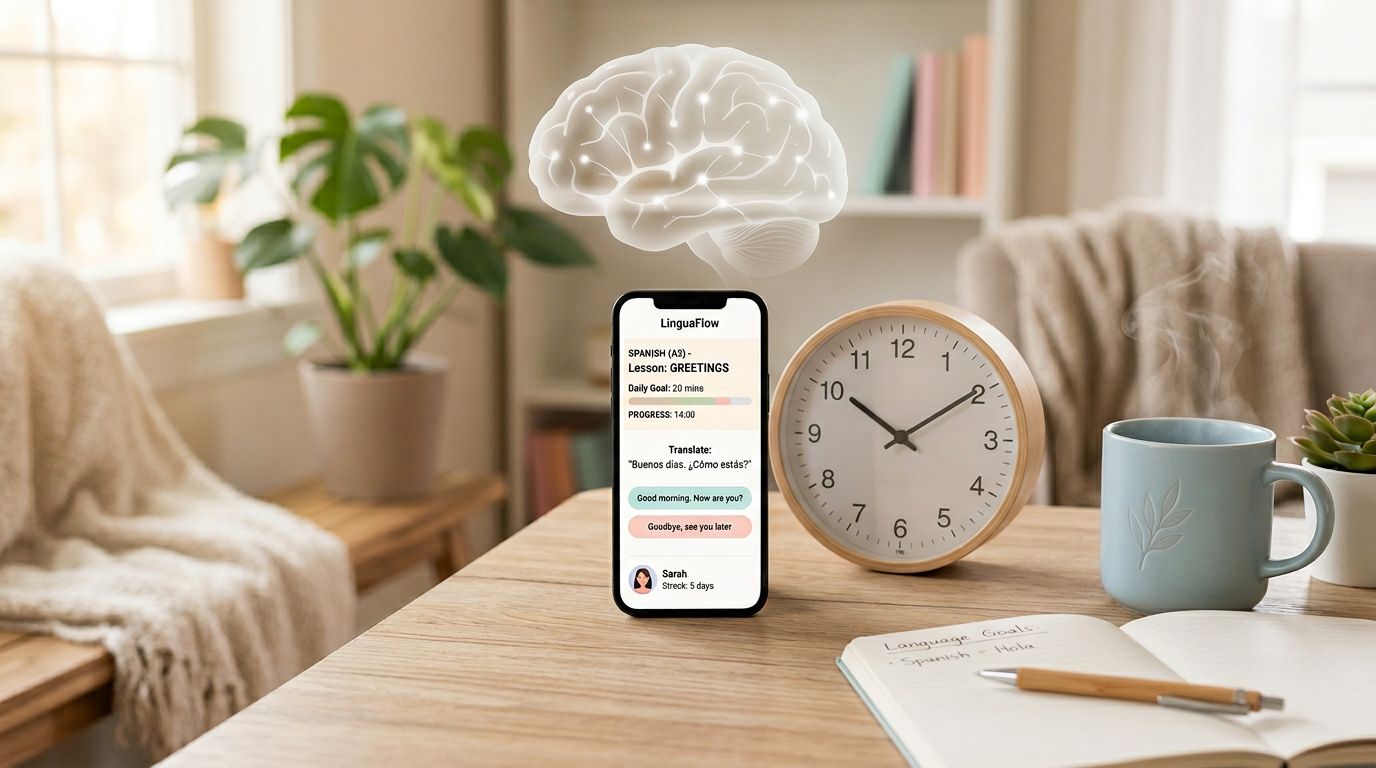
You miss a few days, open your language app, and your brain feels like it got dropped into the middle of a movie. You recognize a few words, but you can’t produce them. The app says you’re “on track,” yet you’re guessing again.
This is why language app retention matters more than streaks. If an app can’t help you restart fast, it won’t fit real life.
The 10-Minute Resume After Interruption Test is a simple, repeatable way to measure one thing: how quickly you can get back to correct answers after a break, without leaning on hints or multiple choice.
What this test is really measuring (and why interruptions hit so hard)
Retention isn’t a personality trait. It’s a memory timing problem.
After a pause, your memory traces weaken. If the app gives you only easy recognition prompts, you’ll feel fluent while tapping, then blank when you speak. Research on forgetting and review timing is one reason spaced systems exist in the first place, see the open-access paper on adaptive forgetting curves in spaced repetition.
Here’s the practical point: a “good” app experience after a break should feel like a ramp, not a wall. You should get quick wins, then reach harder recall within minutes.
If your first 10 minutes back are mostly hints, word banks, or lucky guesses, your app is training recognition, not usable recall.
This test works across common feature types, because each one fails differently:
- SRS flashcards can bury you in a huge backlog, or feed you items you can only recognize.
- Short lessons can re-teach too much, which feels safe but wastes time.
- Speaking and pronunciation can punish you with repeated “fails” before you re-warm your mouth and ear.
- Gamified drills can keep you tapping fast while learning stays shallow.
You’re going to measure re-entry like a flight check: can you take off again, or do you stall?
Lab setup and the 10-minute script (run it after 1 day, 7 days, and 30 days)

Before you pause (3 minutes, once)
Pick one “track” inside the app that you can repeat each time. Examples: the standard review mode, your SRS due cards, one short lesson type, or one speaking drill.
Then record a baseline so your later runs mean something:
- Choose 20 items of scope (or one 10-minute lesson mode). Don’t switch content types mid-test.
- Write down your target for the 10 minutes (for example, “complete one review set plus one short lesson”).
- Turn on Do Not Disturb. Notifications fake “interruptions” and ruin the comparison.
If ads or popups frequently break your flow, run a separate interruption score later using the 10-minute ad disruption check so you don’t confuse memory issues with UI friction.
The pause schedule
Run the same 10-minute script three times:
- Resume after 1 day
- Resume after 7 days
- Resume after 30 days
Put all three in your calendar now. Treat this like a lab series, not a one-off.
The 10-minute resume script (same every time)
Start a timer when you see the first prompt.
- Minute 0 to 2: Warm-up with friction
- Do the easiest review mode available (often “quick review”).
- Don’t chase perfect accuracy. You’re warming recall.
- Minute 2 to 7: One core activity
- SRS: do due reviews only.
- Short lessons: complete one bite-sized lesson.
- Speaking: do one speaking set, even if it’s messy.
- Gamified drills: do one drill set at normal speed, not “turbo tap.”
- Minute 7 to 10: Harder retrieval
- Switch to the format that forces output (typing, speaking, or “produce the word” cards).
- If the app won’t let you switch, add a manual step: cover choices with your hand and try to answer before you look.
Log only four numbers (no essays): time-to-first-correct, hints used, total attempts, and correct attempts.
Score it: a simple 0-100 table you can reuse
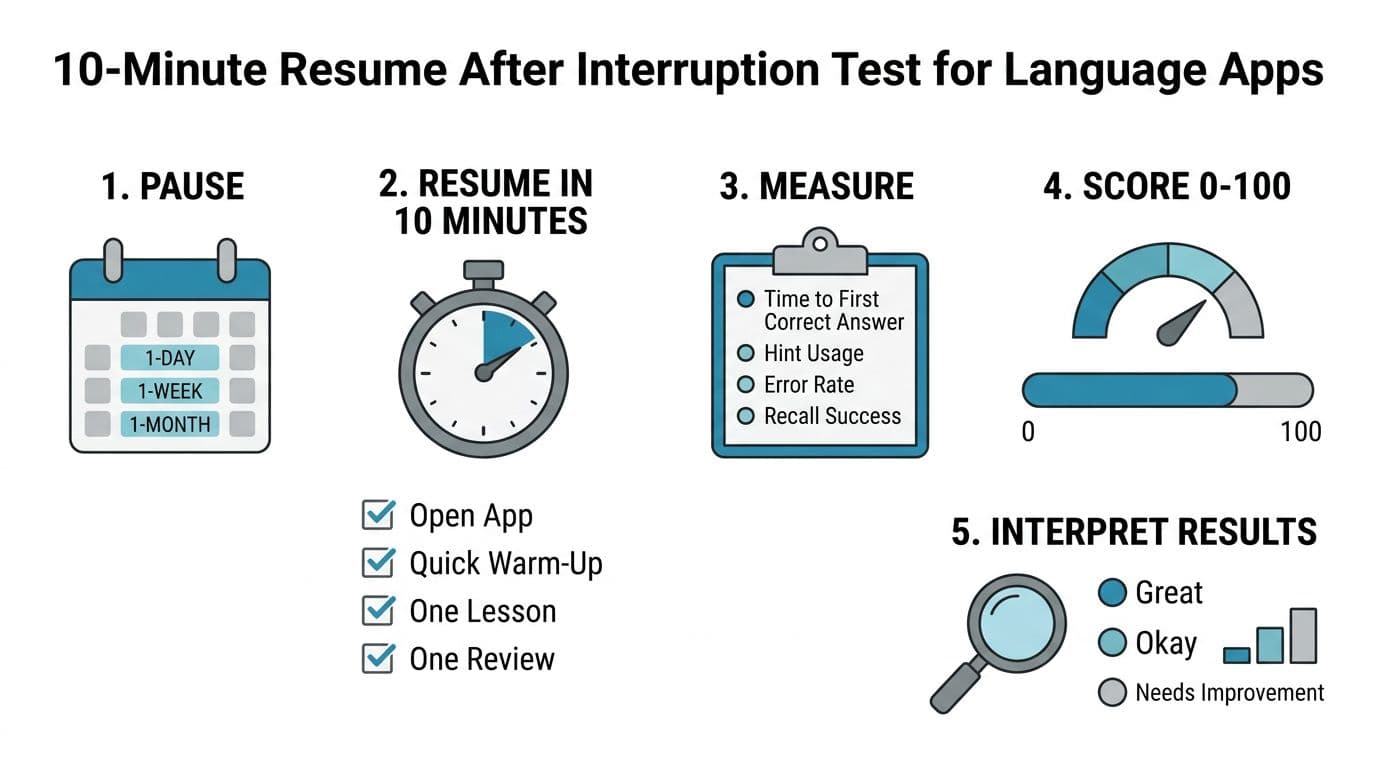
You’re going to score each run (1-day, 7-day, 30-day), then average them. If you only do one run, use the 7-day score.
A quick sentence on why this is fair: strong learning improves when you practice pulling answers from memory. That’s retrieval practice, which has broad support in research reviews, including a 2025 synthesis in Educational Psychology Review.
Scoring table (per run)
Use this table to convert messy reality into a number.
| Metric (10 minutes) | How to measure | Points |
|---|---|---|
| Time-to-first-correct | Seconds until your first correct answer without a hint | 0 to 20 |
| Hint dependence | Hints used per 10 attempts (or “show answer,” word bank, slow reveal) | 0 to 25 |
| Error rate | Wrong attempts divided by total attempts | 0 to 20 |
| Recall over recognition | Share of attempts that require production (typing or speaking), not multiple choice | 0 to 20 |
| Re-entry friction | Extra steps before learning starts (popups, long explanations, forced tours) | 0 to 15 |
Quick scoring rules (keep it fast):
- For time-to-first-correct: under 20s = 20 points, 20 to 60s = 10 points, over 60s = 0 points.
- For hint dependence: 0 to 1 hints per 10 attempts = 25 points, 2 to 3 = 15, 4+ = 0.
- For re-entry friction: start learning in under 15s = 15 points, 15 to 45s = 8, over 45s = 0.
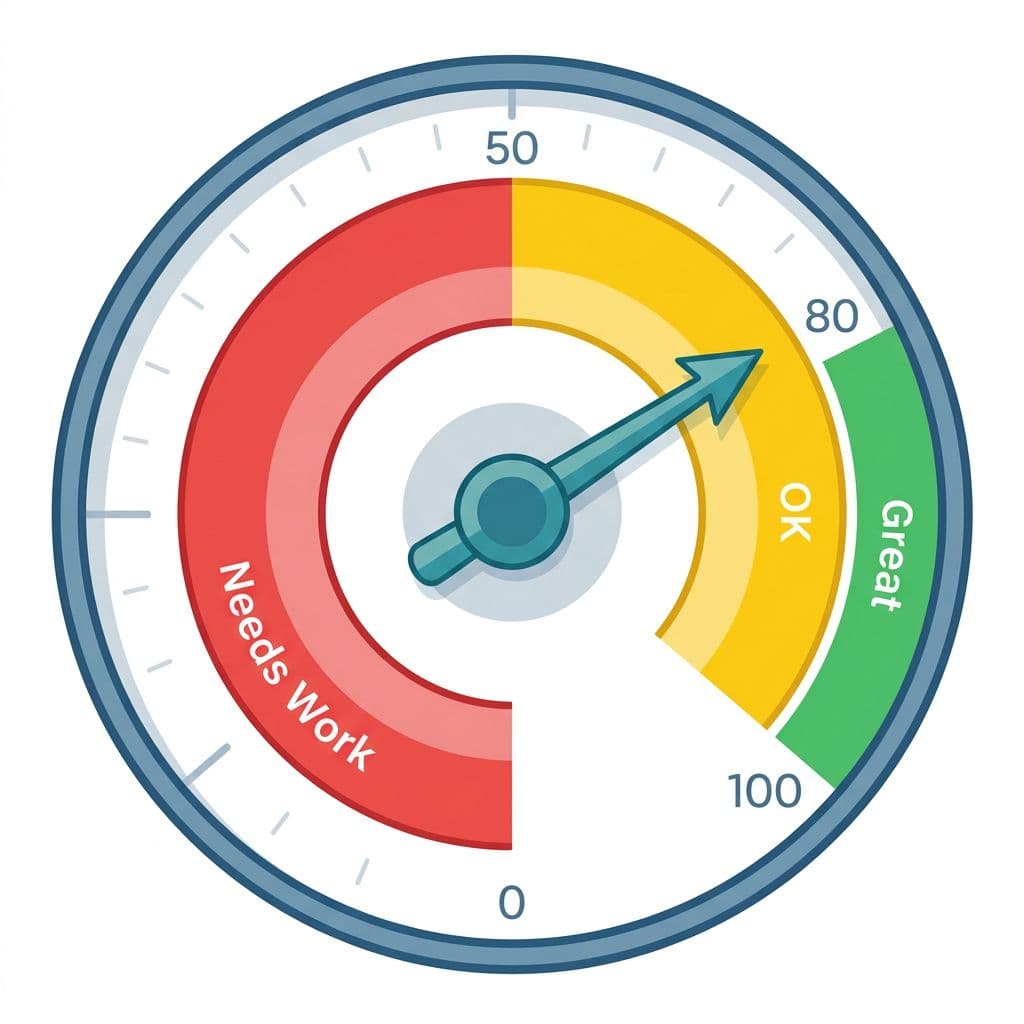
Interpretation (per run):
- 80 to 100: strong restart support, good for busy schedules
- 50 to 79: workable, but you’ll need a re-entry routine
- 0 to 49: the app loses you after breaks, change your approach
What to do if your score is low (fixes that take 10 minutes, not a life reset)
A low score doesn’t mean you “picked a bad app.” It usually means your app is letting you stay in easy modes after a break.
Start with the fastest wins:
1) Adjust review settings to prevent backlog shock
If your SRS mode comes back with a mountain of due items, lower the load. Cap daily reviews, reduce new items, and pause additions until you feel stable. For a practical approach that avoids “review queue panic,” use spaced repetition without burnout.
Also, don’t let the app decide difficulty alone after an interruption. Mark more items as “hard/again” for a few days so spacing resets safely.
2) Add retrieval practice outside the app (to break hint addiction)
When an app score is low, the common pattern is heavy hint use. Fix that with a tiny off-screen loop that forces recall.
A good minimum: after your session, pick 5 items and produce them out loud, without looking. If you want a ready-made routine, adapt this 10-minute active recall routine and use it on “resume days.”
3) Reduce passive recognition (without quitting fun features)
Gamified drills can stay, but balance them. For every 5 minutes of tapping, do 2 minutes of production:
- Speak a sentence using today’s words.
- Type one answer instead of selecting it.
- Cover the multiple-choice options and answer first.
This keeps the app enjoyable while improving restart strength.
4) Schedule a re-entry routine (so you don’t “waste” day one back)
After breaks, many learners spend the whole session re-reading tips. Instead, set a fixed re-entry script:
- Day 1 back: reviews only, no new content
- Day 2: 1 short lesson plus reviews
- Day 3: add speaking or typing, even if accuracy drops
If your review queue keeps repeating the wrong kind of mistakes, not the right ones, use this method to audit app review queue behavior and spot patterns like tense errors or gender slips.
AI tutors can help here in 2026, but treat them as a coach, not a crutch. Ask for short prompts that force recall, then answer without looking.
Conclusion
A language app should feel like a helpful guide when you come back, not a stranger. Run the 10-minute test after 1 day, 7 days, and 30 days, then trust the score. If your language app retention number is low, change the review load, force more retrieval, and use a simple re-entry routine. The goal isn’t perfect consistency, it’s being able to restart on a random Tuesday and still make progress.

