
Most language learning apps say they help you speak. Fewer let you practice conversations that feel even half real. The fastest way to tell the difference is a 15-minute roleplay check.
In one short session, you can see whether an app adapts, remembers details, corrects you well, and keeps the talk moving. That matters because roleplay quality shapes speaking confidence, retention, and how ready you feel when a real person answers back.
Why roleplay quality matters more than polished lessons
A roleplay feature should act like a practice court, not a karaoke track. You shouldn’t just repeat lines. You should react, recover, and make choices. That’s where speaking skill starts to form.
Good roleplay pushes recall under light pressure. You have to find words, follow a thread, and respond in order. Because of that, the language sticks better than it does in tap-based drills. You also get a safer version of real conversation, where mistakes cost nothing but still feel meaningful.
Weak roleplay does the opposite. It trains you to wait for cues. It accepts only one path, ignores your details, or snaps back to a script. That can build false confidence. You finish a lesson feeling fluent, then freeze when a person says something unexpected.
If a roleplay can’t handle one small twist, it probably won’t help much in real conversation.
This is also why app choice should start with your speaking goal. A parent testing apps for a child, or a teacher checking tools for class use, should ask the same thing an adult learner asks: does this app rehearse real situations? If you’re still comparing options, this guide to matching apps to speaking roleplays helps narrow the field before you test deeper.
The 15-minute roleplay test you can run today
Use one ordinary scenario, then keep raising the pressure a little. A cafe order, travel check-in, or job interview works well. Stay in one target language, and start a fresh chat.
- Minutes 0 to 3, start simple
Give the app a clear setup. For example: “Let’s roleplay ordering lunch. I’m in a hurry and allergic to nuts.” A strong app accepts the scene, uses your details, and asks a natural follow-up. A weak one jumps into canned lines and misses the allergy. - Minutes 3 to 7, add one surprise
Change something mid-scene. Say, “Actually, I need takeaway,” or “My friend is joining.” Better roleplay adjusts without breaking flow. Poor design acts like it never heard you, or restarts the same lesson pattern. - Minutes 7 to 11, make one mistake on purpose
Use the wrong tense, word, or register. Then watch the feedback. Good apps correct in a way you can use right away. They show what was wrong, give a natural version, and let the talk continue. Weak ones either ignore the error or drown you in grammar notes. - Minutes 11 to 15, test memory and repair
Refer back to an earlier detail. Ask the app to rephrase if you don’t understand. Strong systems remember key facts and can simplify their own reply. Weak ones forget, repeat themselves, or force you back onto rails.
After 15 minutes, you don’t need a perfect bot. You just need proof that the app can support actual conversation practice.
Good roleplay versus weak roleplay, with clear examples
A simple rule helps here: good roleplay feels like playing catch, weak roleplay feels like pressing elevator buttons.
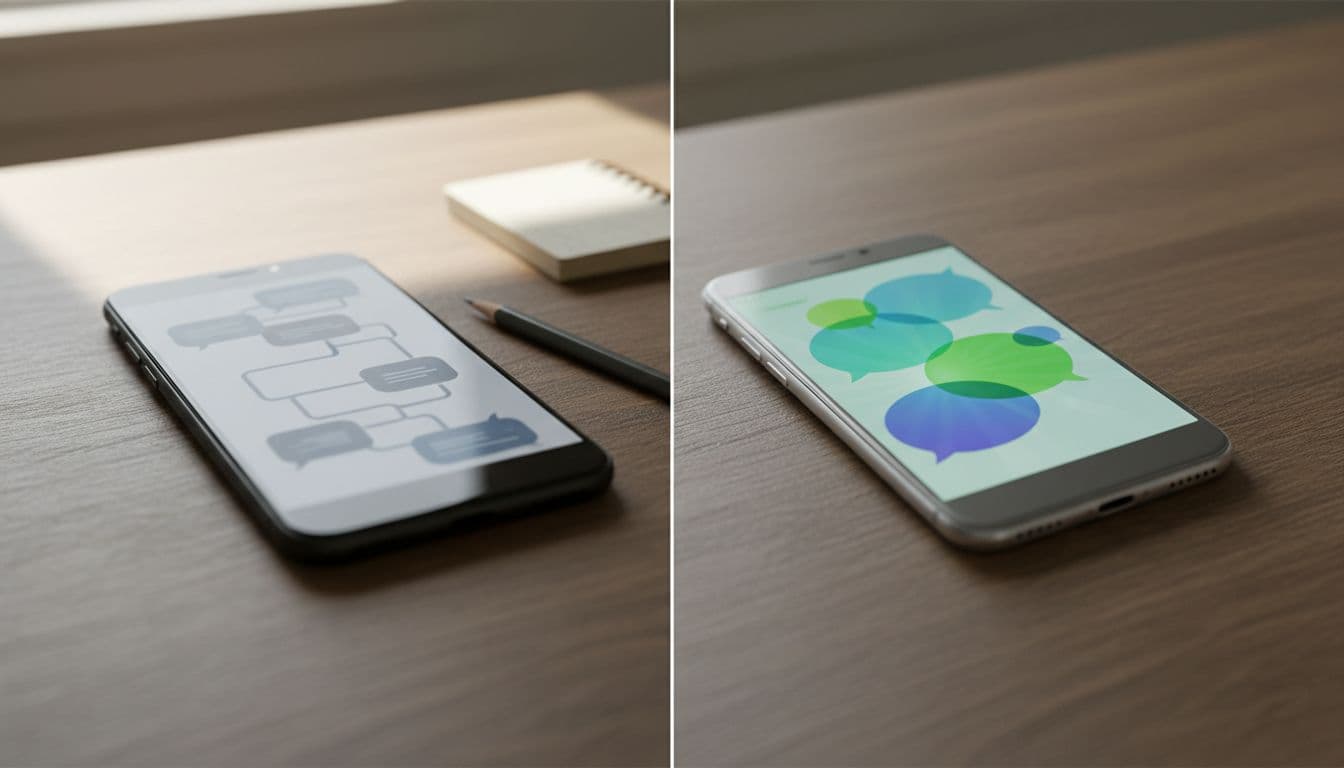
Strong example: You say you’re late, hungry, and allergic to nuts. The app replies with a shorter menu suggestion, checks what you can eat, then asks whether you want takeaway. Later, when you ask for the bill, it still remembers the allergy and your time pressure. That’s useful practice because the conversation has a thread.
Weak example: You mention the allergy, then the app says, “Hello, what would you like to order?” You ask for takeaway, and it answers with the same dine-in question. Then you make a grammar mistake and it responds only with “Incorrect.” That isn’t roleplay. It’s a dressed-up worksheet.
The best roleplay features also handle repair well. If you say, “I didn’t understand, say that more simply,” they should adjust. Real conversations depend on repair. So do confident learners.
If you want a deeper side-by-side test, this guide on how to evaluate roleplay quality in language apps digs further into scripted versus flexible conversation tools.
A quick scorecard for language learning apps
Use the same prompt in each app, then score each area from 0 to 2. This makes app comparisons much less fuzzy.
| Check | What to look for | Score |
|---|---|---|
| Context | Uses your setup details correctly | 0 to 2 |
| Flexibility | Adapts when you add a twist | 0 to 2 |
| Feedback | Corrects clearly, without killing the flow | 0 to 2 |
| Memory | Remembers facts from earlier turns | 0 to 2 |
| Repair | Rephrases when you ask for simpler language | 0 to 2 |
| Natural flow | Sounds like a conversation, not a quiz | 0 to 2 |
A quick read of the total tells you a lot. 0 to 4 means mostly scripted. 5 to 8 means mixed quality. 9 to 12 means the app is likely strong enough for regular speaking practice.
For teachers, parents, and reviewers, this scorecard is handy because it keeps the test fair. Run the same scene, note the same signals, and compare results instead of marketing claims.
Conclusion
A flashy app can still give you weak speaking practice. In contrast, a solid roleplay feature will challenge you, support repair, and remember what you said. Run this 15-minute check before you commit to any language learning app, then trust what the conversation shows you. If the roleplay feels alive, your speaking practice has a real chance to work.

