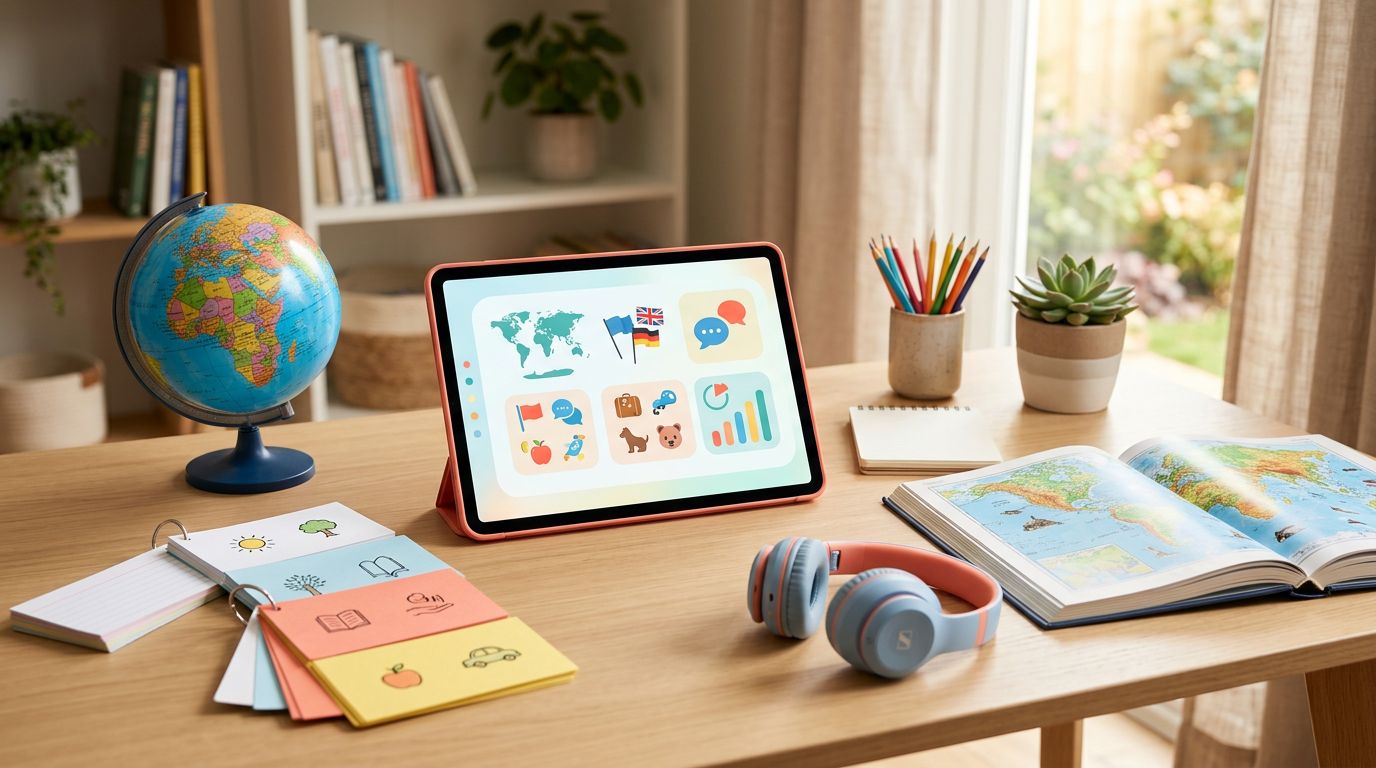
An app can turn a spare 15 minutes into useful language practice, but it can’t carry an entire homeschool course alone. The best homeschool language apps give students a clear path, frequent audio exposure, and enough review to build a habit without taking over the school day.
Parents also need to look beyond streaks and colorful exercises. The right choice depends on the target language, the child’s age, reading goals, speaking needs, budget, and willingness to study independently. These are the strongest options to consider in August 2026.
The best homeschool language apps by learning goal
No single app suits every student. Use this comparison as a starting point, then test the actual course in your target language.
| App | Best fit | Current access model | Main limitation |
|---|---|---|---|
| Duolingo | Beginners who need a free daily habit | Free tier, Super, Max, and family plans | Grammar and conversation depth vary |
| Mango Languages | Families wanting a broad, planned course | Limited free lessons, individual and family plans, library access | Course depth differs by language |
| Babbel | Teens studying major European languages | Paid subscriptions with limited previews | Smaller catalog and limited child focus |
| Pimsleur | Learners who need listening and speaking practice | Paid single-language or all-access subscriptions | Less support for reading and writing |
| LingoDeer | Japanese, Korean, and Chinese beginners | Free introductory access and paid subscription features | Smaller overall language catalog |
| HelloChinese | Beginners learning Mandarin | Free and premium access | The structured course is strongest at beginner levels |
Most of these services work on mobile devices, while web access, offline lessons, family sharing, and classroom tools vary. A current 2026 language app comparison from Wirecutter is also useful for checking how major apps compare outside a homeschool setting.

Duolingo works well for habit-building
Duolingo is the easiest place to start when cost and motivation matter most. Its public 2026 plan structure includes a free tier, Super, Max, and a family plan for up to six accounts. The free version includes ads and limits some features, while paid plans remove common interruptions and add extra practice tools.
Why younger beginners often stick with it
Short lessons, immediate feedback, audio prompts, and visible progress make Duolingo approachable for children and early teens. A student can complete a lesson before breakfast or use the app as a light review after formal grammar work.
The free tier also lets families test whether a child will practice consistently. That matters more than choosing an expensive program that gets ignored after two weeks.
Duolingo’s broad course catalog is useful for families with several language interests. However, course quality and depth differ by language. A popular Spanish course won’t necessarily match the structure or content available for a less widely taught language.
Where Duolingo needs support
Duolingo can introduce vocabulary, sentence patterns, and basic listening. It gives less consistent practice with extended conversation, open-ended writing, and detailed grammar explanations.
Streaks can also become the main goal. Parents should treat the streak as a reminder, not as evidence of proficiency. Add a notebook, short readings, and regular speaking tasks when the student moves beyond the earliest lessons.
Mango Languages suits a planned homeschool course
Mango Languages is one of the strongest choices for families that want language study to feel like part of a curriculum. Its catalog covers more than 70 languages, including widely studied languages, less commonly taught options, and some Indigenous and endangered languages. The Mango language catalog shows the range available for families choosing a language outside the usual Spanish or French pathway.
What makes Mango useful at home
Mango organizes study around practical conversations, pronunciation, cultural notes, vocabulary review, and grammar patterns. Its homeschool materials describe popular courses with more than 500 lessons of content, which gives parents more structure than a simple daily vocabulary game.
The service offers individual and family subscriptions. The Family Plan allows up to five additional users, so it can work well when siblings study together. Families may also receive free access through a participating public library, school, employer, or other organization.
Mango lets users try the first three lessons of each course for free. That preview is long enough to check audio quality, lesson pace, and whether the target language feels appropriate for the student.
Pricing and limitations
Current Mango listings show monthly and annual individual plans, plus family pricing. Recent displayed figures include an annual individual price of $119.99 and an annual family price of $199.99 on Mango’s site. App store listings have shown different amounts, so check the price in your country and storefront before purchasing.
Library access can make Mango an excellent budget option, but it doesn’t always include the same family benefits as a paid family plan. Also, a large lesson catalog doesn’t automatically provide real conversation. Students still need live practice, even when Mango is their main course.
Babbel and Pimsleur serve older or more independent students
Babbel and Pimsleur are better matches for teens who can follow a lesson without constant supervision. They take different approaches, so the choice depends on whether the student needs visual structure or more speaking time.
Babbel gives European languages a structured path
Babbel offers courses in 14 languages, according to Wirecutter’s current app review. Its catalog focuses heavily on major European languages, with Indonesian also available.
Lessons combine vocabulary, listening, pronunciation, grammar, and practical dialogues. That balance makes Babbel a reasonable fit for a high school student who wants more explanation than a game-based app provides. The course sequence also makes it easier for a parent to assign regular lessons without creating every activity from scratch.
Babbel uses paid subscriptions sold by term, with limited previews or trial access depending on the offer and region. It doesn’t have the same broad free pathway as Duolingo. The smaller catalog matters if your family wants Mandarin, Korean, Cantonese, or another less-supported language.
Babbel’s own comparison of language learning apps can help families review its current plan options, but compare claims with the actual course in your chosen language.
Pimsleur prioritizes listening and speaking
Pimsleur is a strong option for students who learn best through audio. Its current app listing advertises access to 51 languages, with language-specific and all-access subscription options.
The lessons train learners to recall phrases aloud, respond to prompts, and understand spoken language. That makes Pimsleur useful for a teen preparing for travel, family communication, or a conversation-based goal.
The tradeoff is clear. Audio practice doesn’t provide the same amount of reading, spelling, handwriting, or visual grammar instruction as a structured textbook or course. Students learning Japanese, Chinese, or another language with a new writing system will need separate script practice.
LingoDeer, HelloChinese, and Teuida fill language-specific gaps
A general app can be convenient, but language-specific design often matters more than the brand name. These specialist apps deserve attention when a student studies an Asian language.
LingoDeer is a strong choice for Asian languages
LingoDeer handles Japanese, Korean, and Chinese with more attention to writing systems and grammar than many broad beginner apps. Lessons introduce scripts gradually and provide sentence work that fits the language instead of forcing every language into the same format.
The app uses free introductory access alongside paid subscription features. Its smaller catalog is a limitation, but the supported courses can be a better fit than a larger app with shallow coverage. See this LingoDeer review for Asian languages before choosing it for Japanese, Korean, or Chinese.
HelloChinese gives Mandarin beginners a clear route
HelloChinese focuses on Mandarin and combines pinyin, tones, characters, vocabulary, listening, and speech recognition. The app’s pronunciation practice can catch obvious mistakes and encourage repeated attempts, which helps beginners who don’t yet know whether a tone sounds accurate.
It offers free and premium access, with the most useful course depth behind the paid tier. HelloChinese is strongest during a student’s first stage of Mandarin study. Its lessons may not provide enough flexible conversation or intermediate reading on their own. This HelloChinese Mandarin review gives a closer look at its progress beyond beginner material.
Teuida adds speaking practice for Korean
Teuida uses short, scenario-based speaking activities for Korean and Japanese. Students respond aloud instead of completing only recognition exercises, so it can help a hesitant learner start producing language sooner.
Speech recognition is useful for repetition, but it can’t replace a teacher or conversation partner who can explain word choice, rhythm, politeness, and context. Teuida works best as a speaking supplement rather than a complete homeschool curriculum.
How to choose the right app for your homeschool
The best choice begins with the student, not the app store rating. A six-year-old who needs parent support has different requirements than a sixteen-year-old preparing for an exam.
Match the app to age and independence
Younger children usually need short sessions, simple navigation, and an adult nearby. Look for low frustration when an answer is wrong, clear audio, and activities that don’t depend on reading long instructions.
Middle school students may handle a structured app independently, but many still need an assigned schedule. Older teens can use audio courses, conversation tools, or self-directed reading if they understand how to track progress.
Check whether the app includes parental controls, progress reports, separate profiles, and an ad-free option. A family plan is useful only if it makes supervision easier and gives each learner an individual path.
Match the app to the actual learning goal
Write down one measurable outcome before paying. For example, a student might aim to introduce themselves, read hiragana, understand basic family conversations, or complete an A1-level course.
Then test the app against that outcome:
- Confirm that the target language has a full course, not only a phrasebook or limited unit.
- Complete several lessons to check whether the audio is natural and the explanations are clear.
- Look for required speaking, listening, reading, and writing tasks.
- Calculate the full yearly cost, including books, tutoring, conversation practice, or printed materials.
A useful homeschool language app overview can provide more ideas, but your child’s response to the actual lessons should carry the most weight.
Build a course around the app, not around the streak
Apps work when practice happens often enough for memory to build. A student who completes one lesson every few weeks won’t gain much, even with an excellent program.
Use a simple weekly routine
A workable homeschool schedule might include four app sessions of 15 to 20 minutes. Add one longer session for review, reading, or a written activity. On another day, have the student speak with a tutor, family member, teacher, or exchange partner.
Parents can record completed lessons, new words used in sentences, and one speaking sample each month. That record shows progress more clearly than points or streaks.
The 10-minute language learning reality check offers a useful reminder: short daily practice can build momentum, but it has limits when it replaces broader language work.
Add resources that apps handle poorly
Most apps provide controlled sentences. Real language includes interruptions, different accents, unfamiliar vocabulary, and cultural context. Add graded readers, songs, children’s books, podcasts, handwriting practice, or age-appropriate videos.
Pronunciation scores also need careful interpretation. Speech recognition can identify some sound problems, but it may not explain the cause or handle every accent fairly. Use a repeatable pronunciation feedback test before trusting an app’s speaking score.
For older learners, content-based tools such as LingQ’s 2026 app comparison can add reading and listening exposure after a beginner course. A tutor or conversation partner remains the better choice for detailed correction.
Choosing the best fit for your family
Duolingo is the easiest free starting point. Mango is the most practical broad-course option for families that want a planned curriculum and may qualify for library access. Babbel suits teens learning major European languages, while Pimsleur is the better pick for audio-led speaking practice.
LingoDeer and HelloChinese deserve priority for Japanese, Korean, and Mandarin beginners. Teuida is useful when speaking confidence is the immediate need. In every case, the app should sit inside a larger routine that includes consistent practice and some human interaction.
The strongest homeschool language apps are the ones a student can use regularly for a clear purpose. Choose the target language and learning goal first, test the course, then build the books and conversation work around it.
Ready to Take Your Language Learning Further?
Your favorite language-learning app is a great place to start. Rocket Languages can help you go further with interactive audio lessons, pronunciation practice, real-world conversations, and structured learning.
Explore Rocket Languages →Affiliate disclosure: We may earn a commission if you purchase through this link, at no additional cost to you.
